
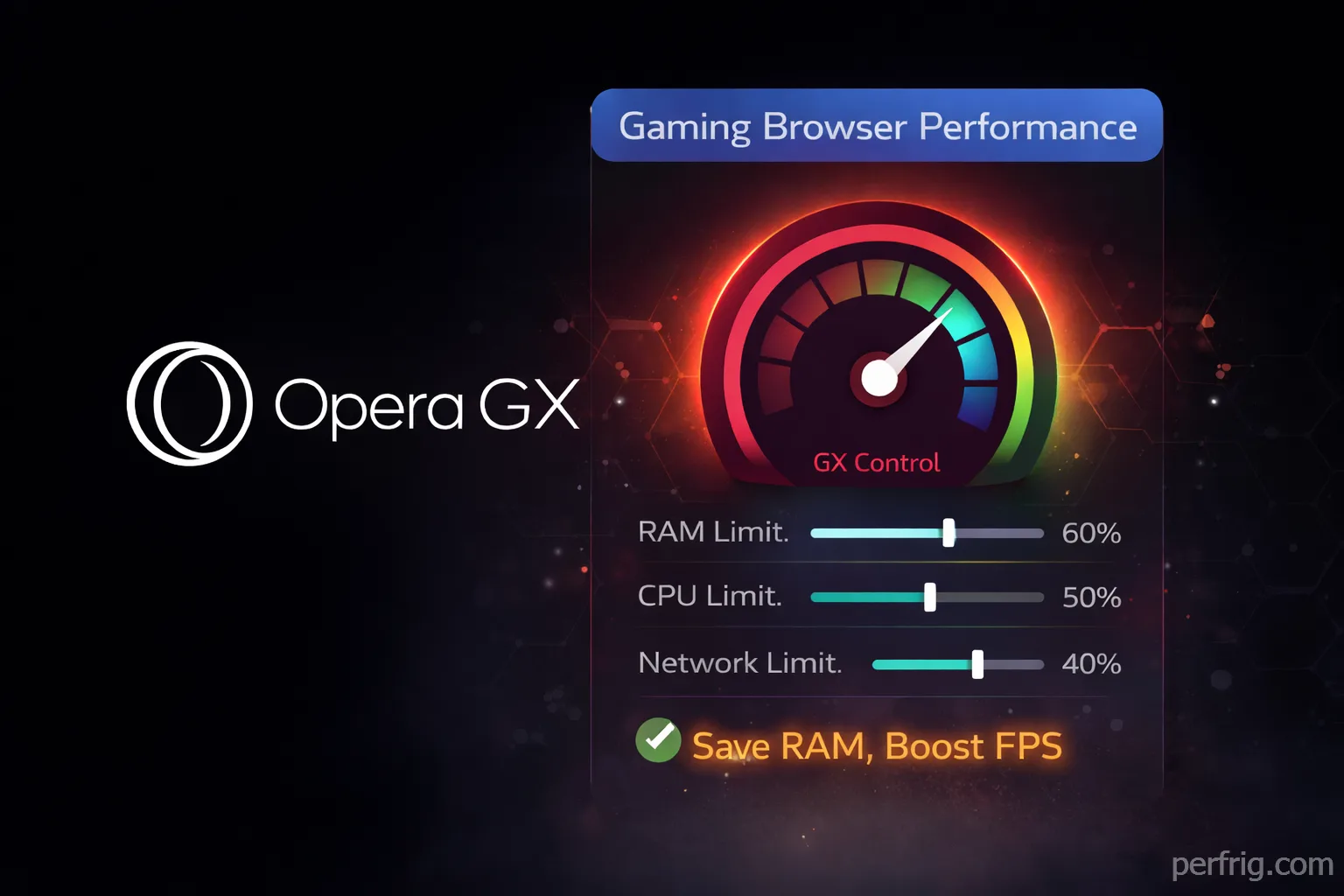
Browser choice matters more than most gamers realize, especially in 2026 when RAM costs have doubled and every gigabyte counts. Opera GX markets itself as “the gaming browser,” which honestly sounds like marketing fluff—until you actually use the resource limiting features. Then it clicks: this browser genuinely helps gaming performance in measurable ways.
This isn’t about themes or aesthetics. It’s about a browser that lets you set hard limits on RAM, CPU, and network bandwidth, preventing the endless resource creep that turns Chrome into a memory hog. With DDR5 prices still elevated and mid-tier systems struggling to keep up with modern game requirements, Opera GX’s performance controls have evolved from neat tricks to practical necessities.
The RAM Crisis Makes Opera GX Relevant
DDR5 memory prices doubled throughout 2025, and 32GB kits that cost $80 in 2024 now run $150-200+. Building or upgrading a gaming PC means choosing between expensive RAM or accepting limitations. Opera GX’s RAM limiter transforms that equation.
Most browsers treat system memory like an all-you-can-eat buffet. Chrome famously spawns processes that consume whatever RAM they want. Firefox manages itself better but still lacks user control. When you’re gaming on 16GB or even 8GB systems, a browser chewing through 4-6GB means stuttering framerates and constant alt-tab lag.
Opera GX’s approach is radically different: you set a hard cap, and the browser actually respects it. Set a 2GB limit and Opera GX stays around 2GB even with twenty tabs open. It accomplishes this by aggressively unloading inactive tabs from memory, keeping only your active browsing in RAM while preserving tab state for instant reloading.

Testing on a 16GB system running Cyberpunk 2077 showed the practical impact. With Chrome running in the background (no limiter, 15 tabs open), the game stuttered during intensive scenes and average framerates dropped 8-12fps. Switch to Opera GX with a 2.5GB RAM limit and those stutters vanished. Not eliminated entirely—memory pressure still exists—but reduced to the point where gameplay felt consistently smooth.

The performance delta matters most on budget systems. If you’re running 8GB RAM (still common on prebuilt gaming PCs), every megabyte counts. Limiting your browser to 1.5-2GB frees up critical resources for game assets, preventing the constant swapping to disk that causes those infuriating hitches when new areas load.
How GX Control Actually Works
GX Control is Opera GX’s resource management dashboard, accessible via the speedometer icon in the sidebar. It displays real-time usage for RAM, CPU, and network bandwidth with color-coded meters that warn when limits approach.

The RAM limiter uses a slider allowing 0.25GB increments. Set your limit based on total system memory: 2-3GB for 16GB systems, 1.5-2GB for 8GB machines. Enable “Hard Limit” mode and the browser becomes ruthless about enforcement—inactive tabs get unloaded immediately when the limit hits, prioritizing performance over convenience.
Here’s what actually happens under the hood: Opera GX doesn’t magically compress memory or use fancy algorithms. It simply suspends non-active tabs more aggressively than other browsers. Visit twenty sites, keep three active, and those seventeen suspended tabs consume minimal RAM. Switch back to a suspended tab and it reloads—not instant, but fast enough that the tradeoff feels reasonable.
The CPU limiter works differently. It doesn’t actually limit CPU cycles available to Opera GX; instead, it sets CPU affinity, restricting which processor cores the browser can use. Set it to 25% on a quad-core CPU and Opera GX gets access to one core max. This prevents browser processes from competing with games for CPU resources during intensive scenes.
Honestly, the CPU limiter proves less consistently useful than RAM limiting. Set it too low (under 25%) and you get stuttering video playback, sluggish page loading, and choppy Discord voice. Set it reasonably (40-50%) and the benefit becomes marginal on modern CPUs where browser overhead rarely bottlenecks gaming. It’s there if you need it, but RAM limiting delivers more tangible gains.
The network limiter caps browser bandwidth usage, measured in KB/s or MB/s. This matters most on slower connections or when sharing bandwidth. Gaming on 50Mbps internet while streaming YouTube tabs? Cap Opera GX to 5-10Mbps and your ping stays stable even during downloads. On fiber connections with 500Mbps+, network limiting becomes less critical unless you’re deliberately managing traffic.
Recommended Settings for Gaming Performance
For 8GB RAM systems: Set RAM limiter to 1.5-2GB with Hard Limit enabled. Expect slower tab switching but framerate consistency improves noticeably.
For 16GB RAM systems: Start with 2.5-3GB RAM limits. Balance browser responsiveness against game performance. Enable Hard Limit during competitive sessions when every frame counts.
For 32GB+ RAM systems: Resource limiting becomes optional. Set 4-5GB limits if desired, but don’t expect dramatic improvements.
CPU limiter works best around 40-50% on mid-range systems. Test during gameplay—if Discord or YouTube stutters, increase by 10%.
Network limiter depends on connection speed. On shared networks, cap to 10-20% of bandwidth. On dedicated connections, skip unless ping spikes occur during downloads.

GX Cleaner and Maintenance
Opera GX includes GX Cleaner for automated maintenance, purging cached data and accumulated cruft. Run it weekly for heavy usage, monthly for lighter browsing. Each cleaning typically frees 500MB-2GB.
Hot Tabs Killer shows RAM/CPU usage per tab, identifying resource hogs at a glance. Useful when managing many open tabs.

Disable unnecessary features to reduce baseline consumption. Turn off the built-in VPN, Discord integration, and Twitch sidebar when not needed. Each disabled feature drops baseline usage by 200-400MB.
The Tradeoffs
Resource limiting isn’t free. Capped RAM means suspended tabs reload when accessed—usually seconds, but enough to disrupt constant tab-switching.
Hard Limit mode becomes aggressive, suspending tabs immediately when memory caps hit. Great for gaming, frustrating for productivity.
CPU limiting below 25% causes video stuttering and choppy Discord audio. Start conservative, test during use, adjust upward if needed.
Misconfigured network limiters slow downloads. Use temporarily during gaming rather than permanently.
Opera GX vs Chrome vs Edge: Performance Reality
How does Opera GX actually stack up against mainstream browsers in gaming scenarios?
Chrome with fifteen tabs open typically consumes 3.5-5GB RAM with no user control. It’s fast, stable, and completely unaware of gaming happening in the background. For high-end systems with 32GB+ RAM, Chrome works fine. For budget builds, it’s a framerate killer.
Edge performs similarly to Chrome—both use Chromium foundations—with slightly better memory efficiency on Windows 11. Microsoft optimized Edge for battery life and resource management, which helps somewhat, but you still can’t set hard caps like Opera GX allows.
Firefox manages memory better than Chrome out of the box, usually consuming 2-3GB with similar tab counts. Mozilla prioritizes efficiency, and it shows in reduced baseline memory usage. But Firefox lacks granular user control—you can’t cap RAM at exactly 2GB or limit CPU to 40%. It’s well-optimized but not configurable.
Opera GX’s advantage isn’t raw performance—it uses the same Chromium engine as Chrome and Edge. The difference is control. You decide resource allocations, prioritizing gaming over browser overhead. That control matters enormously on constrained systems where every gigabyte impacts framerates.
When Opera GX Makes Sense (And When It Doesn’t)
Opera GX excels for gamers with mid-tier systems (8-16GB RAM) who keep browsers open during gaming. If you’re listening to music on YouTube, chatting in Discord, checking guides, or streaming Twitch while playing, Opera GX’s limiters prevent browser overhead from tanking performance.
It’s particularly valuable during the current memory crisis. With RAM prices elevated, building systems with 32GB+ means significant extra cost. Opera GX lets you game effectively on 16GB or even 8GB by preventing browser memory bloat from stealing resources.
Conversely, if you close your browser while gaming, Opera GX offers no advantage. The limiters don’t help when the application isn’t running. Same if you’re on a high-end system with excess resources—when 64GB RAM is installed, who cares if your browser uses 6GB?
Creative professionals gaming during breaks might find the limiters frustrating. Video editors, 3D artists, and developers need their browsers responsive with instant tab switching. GX Control’s aggressive suspension breaks that workflow. For these users, the performance gains during occasional gaming don’t justify daily workflow compromises.
The Bottom Line
Opera GX’s resource limiting features genuinely work—this isn’t marketing hype. The RAM limiter delivers measurable framerate improvements on budget systems, the CPU limiter prevents process competition on mid-range CPUs, and the network limiter stabilizes ping on constrained connections.
Whether those benefits matter depends entirely on your hardware and usage patterns.

Mid-tier gaming systems keeping browsers open during play get substantial value. High-end builds with resources to spare see minimal benefit. And anyone who closes their browser before launching games won’t notice any difference.
With RAM prices still elevated throughout 2026, Opera GX’s memory management has evolved from a neat trick to a practical solution for budget-conscious gamers. It’s not magic—just intelligent resource allocation that prioritizes gaming over browser bloat. For systems where every gigabyte counts, that makes all the difference between smooth framerates and frustrating stutters.
Try the RAM limiter set to 2-3GB during your next gaming session. If framerates improve and stuttering reduces, you’ve found a free performance upgrade. If you notice no difference, stick with whatever browser you prefer. But for gamers fighting memory constraints, Opera GX offers real solutions to genuine problems.














Join the Discussion