
Best CPUs for Gaming 2026: Expert Picks for Every Budget
CONTENTS
Choosing the right CPU for gaming in 2026 requires understanding a simple truth: eight cores handles virtually everything modern games throw at you, and spending beyond that brings diminishing returns. The real differences show up in cache technology, platform longevity, and—honestly—whether you’re okay with Intel’s recent instability issues.
This guide cuts through the marketing noise to recommend CPUs that actually deliver value, tested with RTX 5090 hardware to eliminate GPU bottlenecks. Whether you’re building on a tight budget or chasing triple-digit framerates, these picks represent the best gaming performance you can get at each price point.
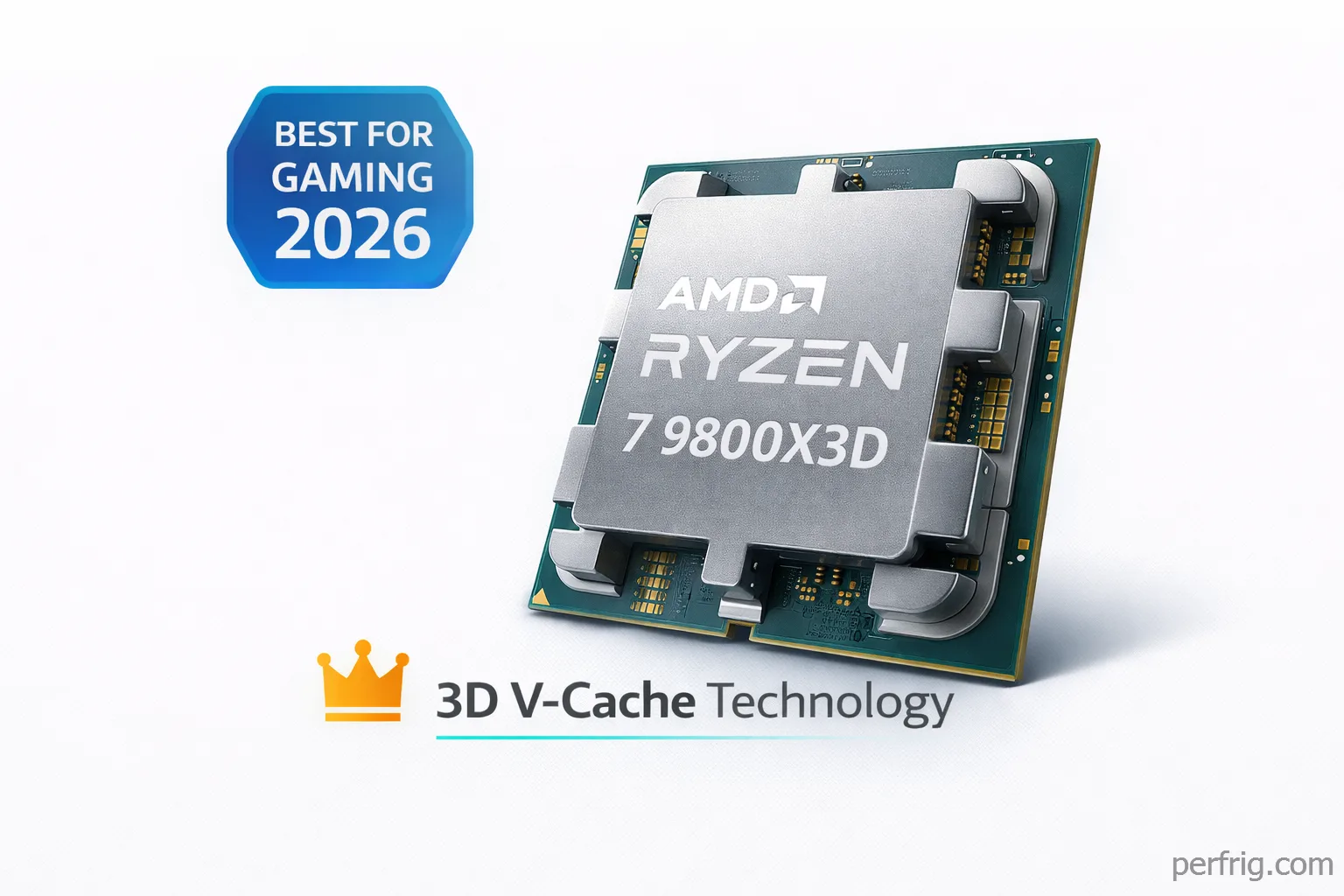
The Winner: AMD Ryzen 7 9800X3D ($480)
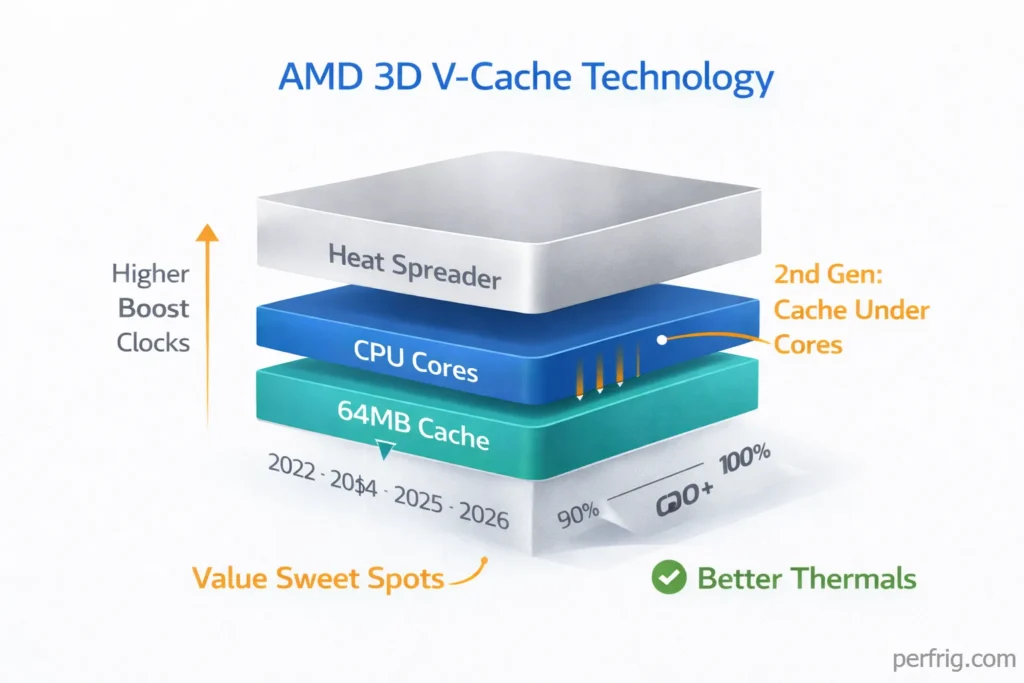
The 9800X3D isn’t just the best gaming CPU available—it’s genuinely a different category of performance. AMD’s second-generation 3D V-Cache stacks 64MB of L3 cache under the processor cores rather than on top, enabling higher boost clocks (5.2GHz) while maintaining the cache advantages that made previous X3D chips dominant.
In practical terms, this CPU delivers 15-25% higher framerates than competing processors across modern titles. Cyberpunk 2077 at 1440p shows the advantage clearly: 9fps ahead of Intel’s flagship i9-14900K, 26fps ahead of the Core Ultra 9 285K. These aren’t marginal gains—they’re the difference between smooth 144Hz gameplay and stuttering below target framerate.
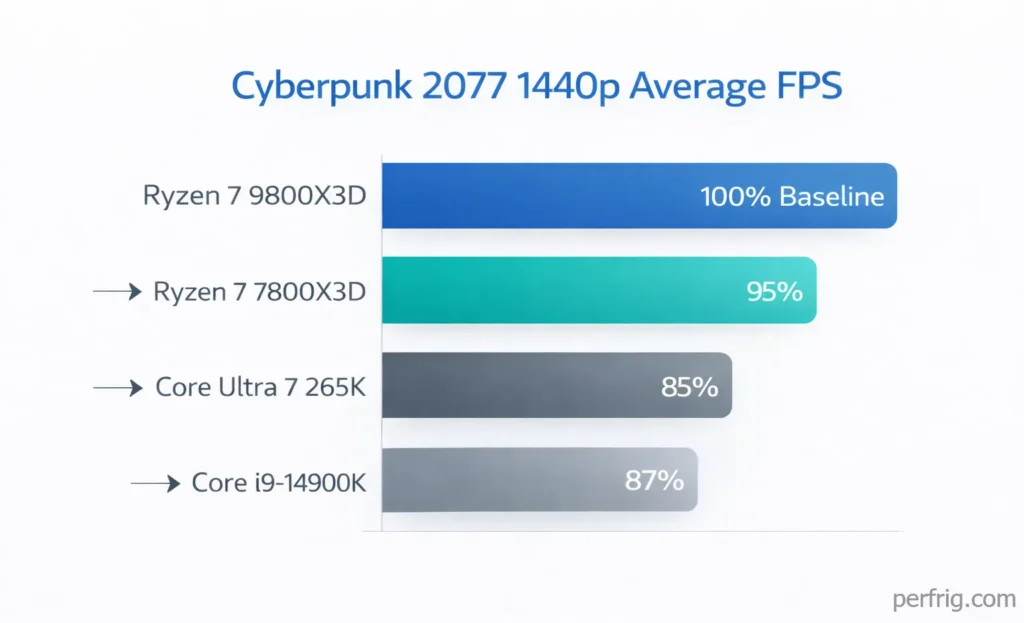
The X3D architecture works by keeping frequently-accessed game assets in that massive cache pool, eliminating trips to system memory that introduce latency. Competitive shooters benefit enormously, with consistently higher 1% low framerates that prevent the stuttering that gets you killed in ranked matches.
What sets the 9800X3D apart from its predecessor, the 7800X3D, is thermal headroom. Previous X3D chips ran hot and couldn’t sustain boost clocks under extended gaming loads. AMD’s inverted cache design solves this, allowing the processor to maintain peak performance even during marathon sessions.
At $480, this CPU costs more than mid-range alternatives, but for serious gamers with high-refresh monitors (240Hz, 360Hz) and powerful GPUs (RTX 5080, 5090, RX 9070 XT), it’s the only processor that fully eliminates CPU bottlenecks. You’re not leaving performance on the table with this choice.
The Value King: AMD Ryzen 7 7800X3D ($400-$460)
If the 9800X3D stretches your budget, the previous-gen 7800X3D remains brilliant value. It’s basically 90-95% of the 9800X3D’s gaming performance at $80 less, and often drops below $400 during sales.
The first-generation 3D V-Cache design means slightly lower boost clocks (5.0GHz vs 5.2GHz) and running hotter under load, but in actual gameplay? Most titles show a 3-5fps difference max. For gamers targeting 144Hz rather than 240Hz+, or playing at 1440p/4K where GPU matters more, the 7800X3D delivers essentially identical experiences.
This CPU has proven remarkably stable over years of use, with zero of the degradation issues plaguing Intel’s high-end chips. For building a gaming PC that just works without drama, the 7800X3D represents the safe, smart choice.
Budget Champion: AMD Ryzen 5 9600X ($215)
Six cores used to be budget territory, but the 9600X proves that AMD’s Zen 5 architecture delivers surprisingly strong gaming performance from fewer cores. This processor trades blows with Intel’s Core i5-14600K in most games despite costing less and running at just 65W TDP.
The trick is efficiency: those six cores boost to 5.4GHz and sustain high clocks without thermal throttling, maintaining consistent framerates where older budget CPUs stumble. For 1080p and 1440p gaming, genuinely six cores is enough if they’re good cores, and Zen 5 cores are excellent.
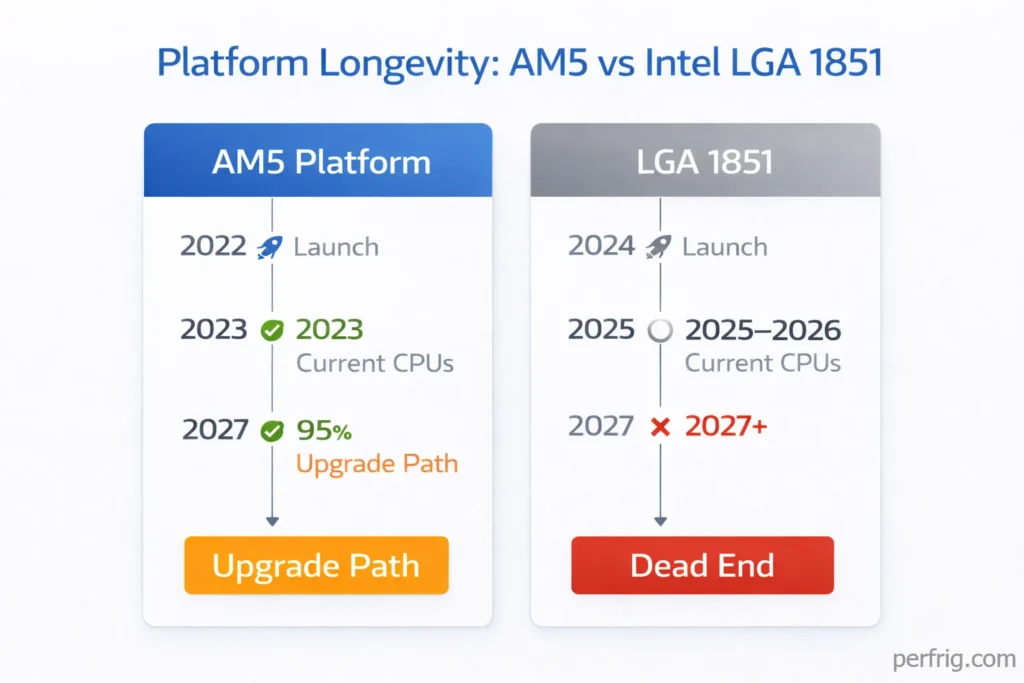
Platform costs matter here too. AM5 motherboards and DDR5 memory aren’t cheap, but AMD has committed to supporting AM5 through at least 2027. Buying a 9600X today means you can drop in a 9800X3D or next-gen Zen 6 chip later without replacing your board. Intel’s platforms lack that longevity, making AMD the smarter long-term investment even at entry prices.
The 9600X won’t max out an RTX 5090, but paired with mid-range GPUs (RTX 5070, RX 9070) it delivers balanced performance without bottlenecks. For gamers focused on 144Hz gaming rather than competitive 360Hz esports, this CPU provides everything you need.
Intel’s Best Effort: Core Ultra 7 265K ($400-$430)
Intel’s Arrow Lake struggles in gaming compared to AMD’s X3D chips, but the Core Ultra 7 265K offers different value: hybrid architecture excelling at multitasking and productivity alongside gaming.
With 8 P-cores and 12 E-cores, the 265K delivers excellent content creation performance—video rendering, streaming, heavy multitasking—while maintaining respectable gaming framerates. It trails the 9700X in most games by 5-10%, but those E-cores prevent performance drops when streaming or running background apps.
The integrated NPU adds AI acceleration for applications like background removal and code completion. As AI-enhanced software becomes standard, dedicated AI hardware keeps systems responsive.
The catch: Intel’s LGA 1851 platform has zero upgrade path. For creators who game, the 265K makes sense. For pure gaming? Look elsewhere.
The Productivity Beast: AMD Ryzen 9 9950X3D ($700+)
Most gamers don’t need this chip, but for professionals who demand top-tier gaming AND rendering performance, the 9950X3D delivers both. Sixteen cores with 3D V-Cache means chart-topping gaming framerates plus the multithreaded muscle for Blender, DaVinci Resolve, and Unreal Engine work.
It outpaces Intel’s flagship in productivity benchmarks while consuming less power and delivering better gaming performance. The hybrid cache design (one CCD with V-Cache, one without) lets the processor intelligently route gaming workloads to the cached cores while using the standard cores for productivity.
At $700+, this only makes sense if you’re earning money from content creation or development work. Pure gamers should save $200+ and get the 9800X3D instead.
What About Intel’s Instability Issues?
Intel’s 13th and 14th generation CPUs (i9-13900K, i9-14900K, i7-13700K) face documented voltage problems causing crashes and degradation. Microcode updates supposedly fix the issue, but honestly the damage to consumer confidence is real.
The Core Ultra series (Arrow Lake) doesn’t share those problems, but it also doesn’t match AMD’s gaming performance. Right now in 2026, AMD simply offers better reliability alongside better framerates. That wasn’t always true, but it’s the reality today.
Platform Considerations
AMD’s AM5 supports DDR5 and PCIe 5.0, with confirmed CPU support through 2027+. Buy a B650 board today, upgrade to Zen 6 later without replacing anything.
Intel’s LGA 1851 is a dead-end platform with no next-gen compatibility. For builds you’ll keep 3-5 years, AM5 wins decisively.
Memory Pricing Note
DDR5 prices doubled throughout 2025. A 32GB kit costs $150-200+, impacting total build costs on both platforms. Factor this into your budget—it’s no longer negligible.
The Bottom Line
For pure gaming: Get the Ryzen 7 9800X3D if budget allows, or the 7800X3D for value. These aren’t just recommendations—they’re the only processors that maximize gaming performance in 2026.
For budget builds: The Ryzen 5 9600X delivers excellent 1080p/1440p gaming at reasonable cost with upgrade paths.
For content creators: Consider the Core Ultra 7 265K if productivity matters equally, or splurge for the 9950X3D if budget isn’t limited.
Skip Intel’s 13th/14th gen entirely due to instability issues. Skip Intel’s current high-end Arrow Lake unless you specifically need its productivity advantages. And remember: eight good cores beats twelve mediocre cores every time.
The CPU market in 2026 favors AMD decisively for gaming workloads. That might change with Intel’s next generation, but today? X3D technology delivers framerates Intel can’t match at any price point. Build accordingly.

Amed Parker
PC performance and hardware specialist focused on system optimization and component analysis with real world performance testing. I combine hardware knowledge with tuning expertise to deliver stable and efficient results.