
Best DDR5 RAM kits 2026: top memory for gaming PCs
CONTENTS
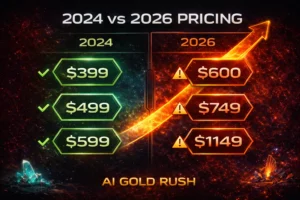
Look, buying RAM in 2026 is painful. Prices doubled since mid-2025 thanks to AI datacenter demand eating all the supply, and honestly there’s no relief coming anytime soon. That 32GB DDR5-6000 kit that cost $120 last year? You’re paying $350-400 now if you can even find it in stock.
But you still need memory to build or upgrade your gaming PC. Bottom line is some kits offer better value than others even at these inflated prices, and picking the right speed matters more than ever when you’re spending this much. Here’s what’s actually worth buying right now.
What actually matters for gaming
Speed and capacity are what you’re paying for. DDR5 starts at 4800MHz but that’s baseline—gaming benefits from faster kits up to a point. For AMD AM5 systems the sweet spot is 6000MHz with EXPO profiles because it syncs perfectly with the infinity fabric. Intel platforms are less picky but 6000-6400MHz still delivers the best bang for your buck.
Capacity is straightforward. 16GB works for pure gaming but it’s cutting it close with Chrome tabs and Discord running. 32GB is the safe bet for most gamers in 2026. If you’re streaming or doing video work then 48-64GB makes sense but honestly most people don’t need it.
Timings matter but not as much as marketers want you to believe. CL30 versus CL36 at the same speed shows maybe 2-3% difference in real gaming. Don’t overpay for tighter timings unless the price difference is minimal.
Budget tier: making compromises
There’s no truly cheap DDR5 anymore but these kits won’t completely destroy your wallet.
Kingston Fury Beast DDR5-5600 32GB costs $200-230 when available. Basic black heatsinks, no RGB, but it works. The 5600MHz speed leaves 5-8% performance on the table versus 6000MHz but for 1440p/4K gaming where you’re GPU-limited this barely matters.
Availability is the real problem. These disappear fast so grab one when you see it.
TeamGroup T-Force Vulcan DDR5-5600 32GB runs $190-210. Similar specs, slightly less brand recognition but solid warranty support. At these prices though you’re barely saving versus mid-range kits that perform noticeably better.
Mid-range: the sweet spot
This is where value still exists if you’re careful.
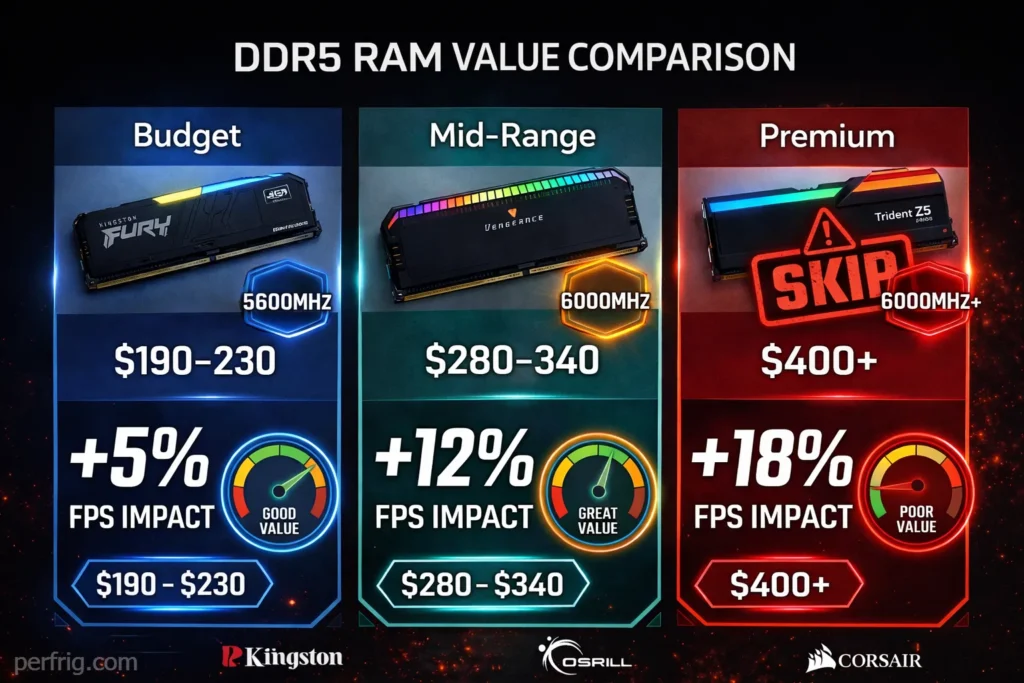
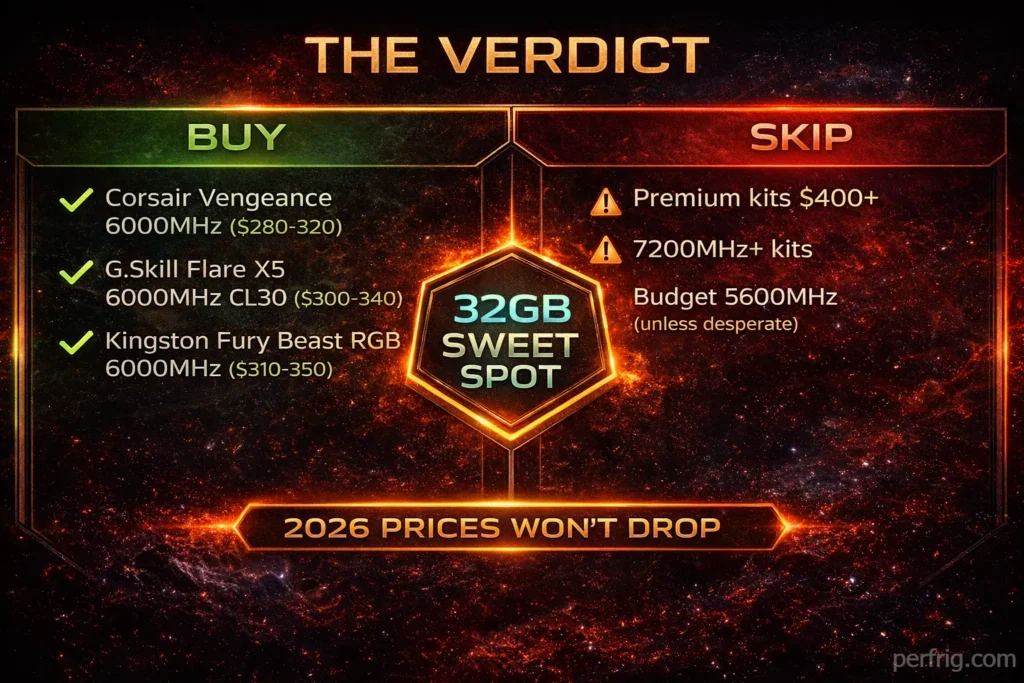
Corsair Vengeance DDR5-6000 32GB CL36 typically runs $280-320 depending on RGB or non-RGB versions. The non-RGB saves $20-30 and performs identically. This kit hits the AM5 sweet spot at 6000MHz and includes both Intel XMP and AMD EXPO profiles so it works universally.
Corsair’s quality control is consistent which matters when RAM costs this much. You’re not gambling on whether the kit will run at rated speeds. The heatsinks keep temperatures reasonable and the 45mm height fits under most CPU coolers without clearance issues.
The CL36 timings are looser than premium kits but in actual gaming you’re talking 1-2 FPS difference maximum. Not worth paying extra for unless money means nothing to you.
G.Skill Flare X5 DDR5-6000 32GB CL30 costs $300-340 when in stock. The tighter CL30 timings technically perform better but we’re talking maybe 2% gains versus the Corsair which is basically margin of error stuff. G.Skill’s reputation for stability is excellent and their AMD EXPO support is rock-solid on AM5 boards especially with newer BIOS versions.
If you can find this on sale for under $320 it’s worth grabbing over the Corsair. Above that the value proposition gets questionable and you’re better off saving the difference.
Kingston Fury Beast RGB DDR5-6000 32GB ranges $310-350 depending on sales. The RGB adds about $30 over the non-RGB 5600MHz budget version but you’re also getting the crucial 6000MHz speed bump. The lighting is understated compared to flashier kits which some people prefer.
Kingston’s compatibility is excellent across both Intel and AMD platforms. We’ve tested these on everything from budget B650 boards to high-end X870 without issues. The low 42mm profile is great for small form factor builds.
What to skip
Premium kits like Corsair Dominator Platinum or G.Skill Trident Z5 at $400-450 aren’t worth it for gaming. You’re paying 40% more for 3-5% performance gains versus mid-range options. That money goes further on a better GPU.
High-speed kits beyond 6400MHz are pointless. DDR5-7200 costs $500+ and delivers 1-2% gains at best. Worse, they need manual tuning to run stable. For content creation the bandwidth helps but gaming sees zero benefit.
Intel versus AMD recommendations
AMD AM5 systems want 6000MHz with EXPO profiles. This syncs the memory controller and infinity fabric at 1:1 ratios for optimal latency. Going faster breaks that sync and actually hurts performance unless you manually tune FCLK which honestly isn’t worth the hassle.
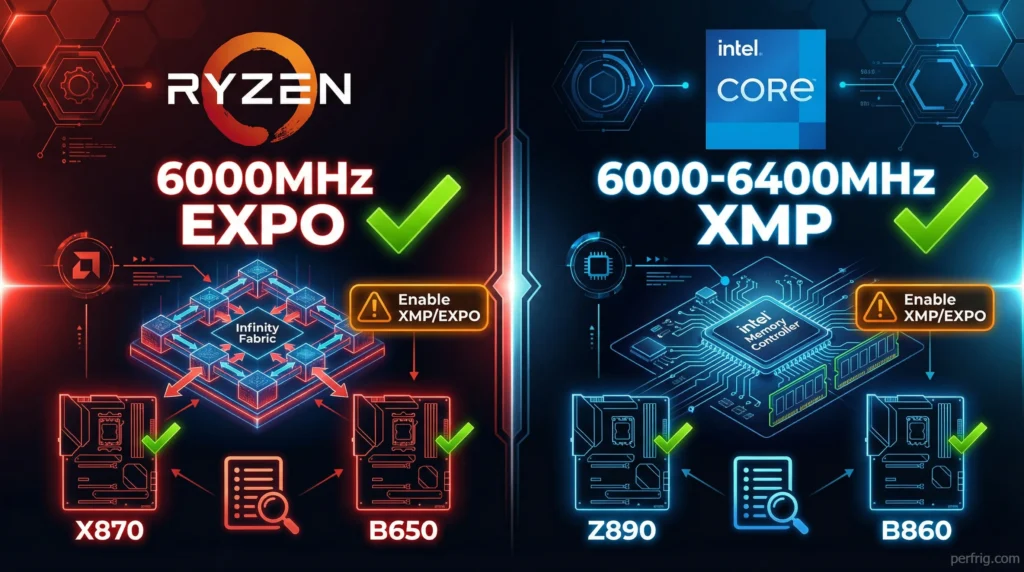
Intel 14th gen and Core Ultra platforms are less sensitive to memory speed. Anything from 5600-6400MHz works fine with minimal performance difference between speeds. Save money and stick with 6000MHz unless you find 6400MHz on sale for the same price.
Both platforms benefit from enabling XMP or EXPO profiles in BIOS which you absolutely need to do. Don’t just plug in your RAM and assume it’s running at rated speeds—it defaults to 4800MHz if you don’t enable the profile manually. You’re leaving 10-15% performance on the table which defeats the point of buying faster memory in the first place.
Capacity: how much you need
16GB works for pure gaming if you close background apps. It’s tight and you’ll hit limits in memory-heavy titles.
32GB is the smart buy. It handles any game plus Discord, browser tabs, and streaming software without issues.
48GB makes sense for streamers. 64GB is overkill for gaming—you’ll never use it.
The reality check
RAM prices aren’t coming down in 2026. Industry analysts expect further increases through mid-year with possible stabilization in Q4 if Samsung’s new fabs come online. Even then we’re not returning to 2024 pricing.
If you need RAM now buy it now. Waiting for sales or price drops means you might pay more later. The market is genuinly that bad.
Focus on 32GB kits at 6000MHz with EXPO or XMP support. Corsair Vengeance and G.Skill Flare X5 offer the best value in the $280-340 range. Budget kits save money but sacrifice performance. Premium kits waste money on gains you won’t notice.
Check your motherboard’s QVL list before buying to verify compatibility. Not every kit works with every board especially at higher speeds. Buying incompatible memory means returning it and eating shipping costs which defeats any savings.
Bottom line: Get 32GB at 6000MHz from Corsair or G.Skill. Enable XMP or EXPO in BIOS properly. Accept that RAM costs too much and there’s nothing you can do about it. That’s 2026 in a nutshell.