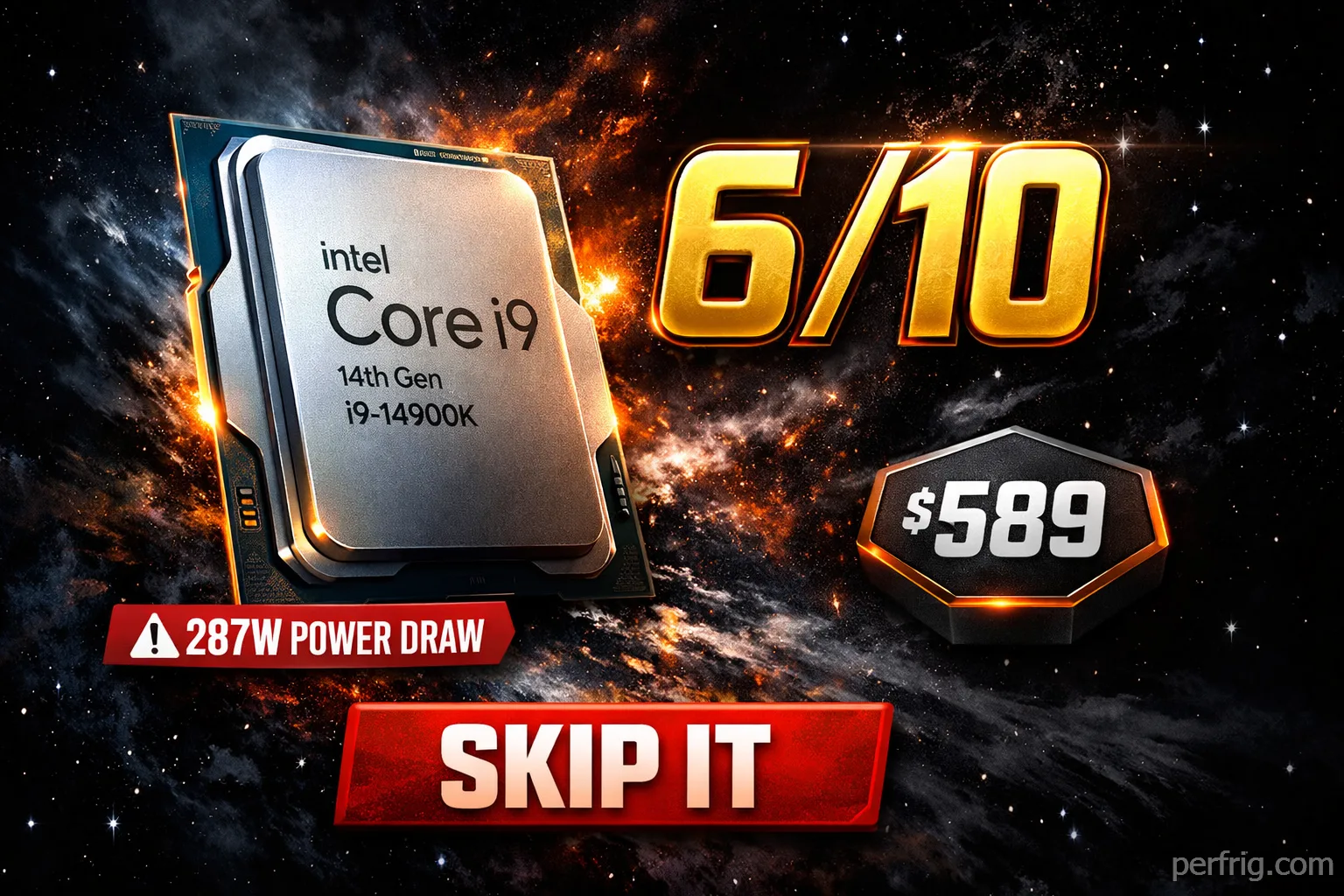

Intel’s 14th Gen flagship feels less like innovation and more like desperation. The Core i9-14900K delivers essentially identical performance to last year’s 13900K while consuming even more power and costing the same $589. For gamers, AMD’s $450 Ryzen 7 7800X3D beats it handily. For productivity, AMD’s 7950X competes strongly. This isn’t a new generation—it’s a rebadge with a 200MHz bump.
What You Get for $589
The i9-14900K packs 24 cores: 8 performance cores (P-cores) running up to 6.0GHz and 16 efficiency cores (E-cores) maxing at 4.4GHz. That’s 32 threads total, with 36MB L3 cache and 32MB L2 cache. Intel UHD Graphics 770 handles basic display duties.
Base TDP sits at 125W, but the real number is the 253W PL2 (max turbo power). Under all-core workloads like Blender or Handbrake, actual power draw hits 287W at the EPS12V cables. That’s higher than Intel’s own HEDT chips from three years ago.
Memory support includes DDR5-5600 officially, though boards push higher with XMP. You get 20 PCIe 5.0 lanes—16 for GPU, 4 for storage. LGA1700 socket means compatibility with 600 and 700-series motherboards after a BIOS update.
Comparing specs to the 13900K reveals the problem: they’re virtually identical. Same core count, same cache, same architecture. Intel added 200MHz to boost clocks and called it a day. The manufacturing process remains Intel 7 (10nm Enhanced SuperFin). Nothing changed except the number on the box.
Gaming Performance: Behind AMD’s Best
The 7800X3D consistently beats the 14900K in gaming despite having fewer cores and lower clocks. AMD’s 3D V-Cache technology reduces memory latency dramatically, and games love it.
At 1080p with an RTX 4090, the 7800X3D averages 5% faster across 20+ game titles. In cache-sensitive games like Assetto Corsa Competizione, the gap widens to 27%. Horizon Zero Dawn shows 12% leads for AMD. Far Cry 6 sees 12% advantages. Even slower-paced titles like Microsoft Flight Simulator favor the X3D chip.
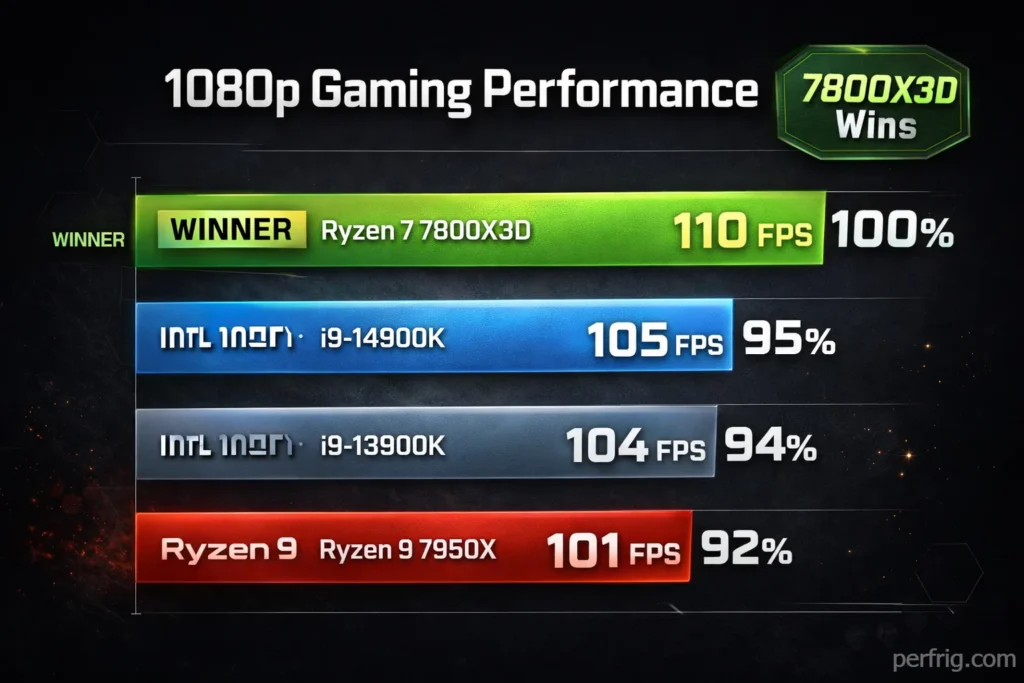
The 14900K wins occasionally—Cyberpunk 2077 shows 5% leads, The Callisto Protocol favors Intel by 13%. But these victories are exceptions. Most modern games benefit more from cache than raw clock speed or core count.
F1 23 runs at 422 FPS on the 14900K versus 410 FPS on the 13900K—a 1.1% improvement that’s basically margin of error. Baldur’s Gate 3 shows 2.2% gains. These numbers wouldn’t matter if Intel priced accordingly, but charging $589 for 2% improvements is rough.
At 1440p, differences shrink as GPU limitations emerge. The 7800X3D maintains a 4% average lead, but individual game margins narrow. At 4K, CPU choice matters even less—you’re fully GPU-bound in most titles. The exception: competitive esports titles where even 4K gaming can show CPU differences if you’re pushing 240Hz+ displays.
But here’s the thing: if you’re spending $589 on a flagship processor, you’re probably pairing it with a high-refresh 1080p or 1440p monitor where those CPU differences actually show up. You’re not buying an i9 to game at 4K 60fps—that’s what mid-range chips handle easily.
The competitive gaming angle doesn’t save Intel either. CS2, Valorant, Rainbow Six Siege—these titles favor high clocks and low latency. The 7800X3D’s cache advantage translates to better 1% lows, meaning smoother gameplay during crucial moments. The 14900K’s higher clock speed helps, but it’s not enough to overcome AMD’s architectural advantages in these scenarios.
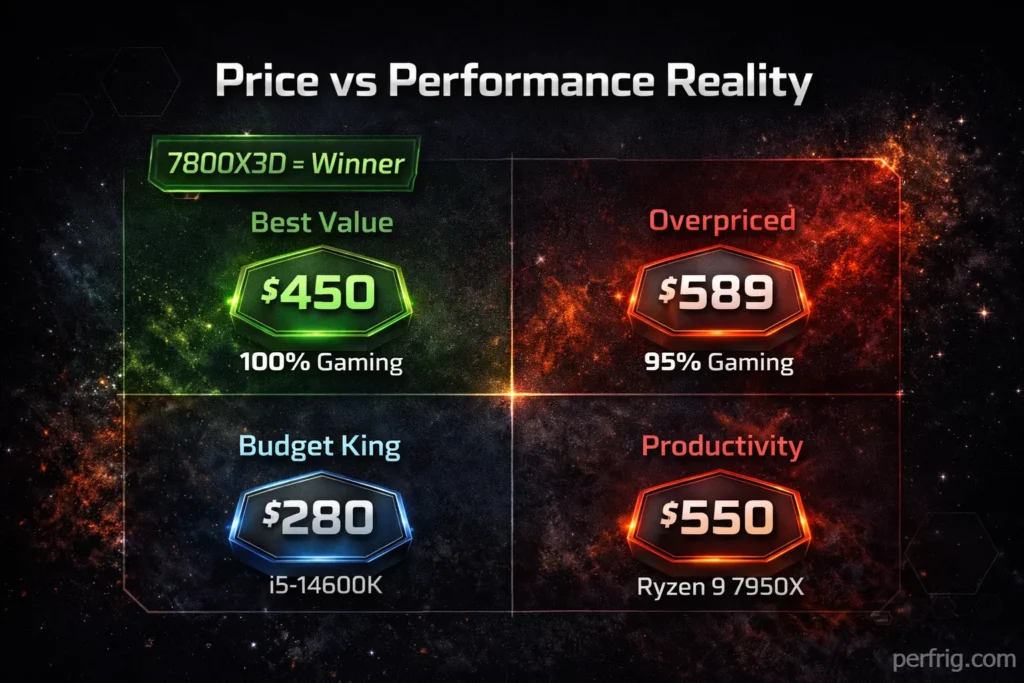
The real kick: the 7800X3D costs $360-$450 depending on sales. It’s $140-$230 cheaper than the 14900K while delivering better gaming performance and consuming half the power. You save money upfront, save money on cooling, save money on electricity, and get better framerates. Intel’s value proposition here is terrible.
Productivity: Actually Competitive
Multi-threaded workloads tell a different story. The 14900K’s 16 extra E-cores matter when rendering, encoding, or compiling. Cinebench R24 multi-core shows massive leads over the 8-core 7800X3D—about 49% faster.
Blender rendering, video encoding in Handbrake, 7-Zip compression—the 14900K excels. Content creators working with Premiere Pro, After Effects, or DaVinci Resolve benefit from those additional cores. Code compilation speeds improve noticeably over AMD’s gaming chips.
Single-core performance ties with AMD. Cinebench R24 single-core and Geekbench 6 show near-identical scores. The 14900K’s 6.0GHz boost helps, but AMD’s architecture efficiency counters Intel’s clock advantage.
Against AMD’s productivity flagship—the 7950X with 16 P-cores—the picture changes. The 7950X costs similar money and trades blows in multi-core work while running significantly cooler and drawing less power. Intel’s E-cores help in specific scenarios, but AMD’s unified architecture avoids thread scheduling complexities.
For pure productivity users, the 14900K makes sense. Gamers should look elsewhere. The problem is finding buyers who purely do productivity work without gaming. That’s a narrow market.
The Power Consumption Problem
287W under all-core load. Let that sink in.
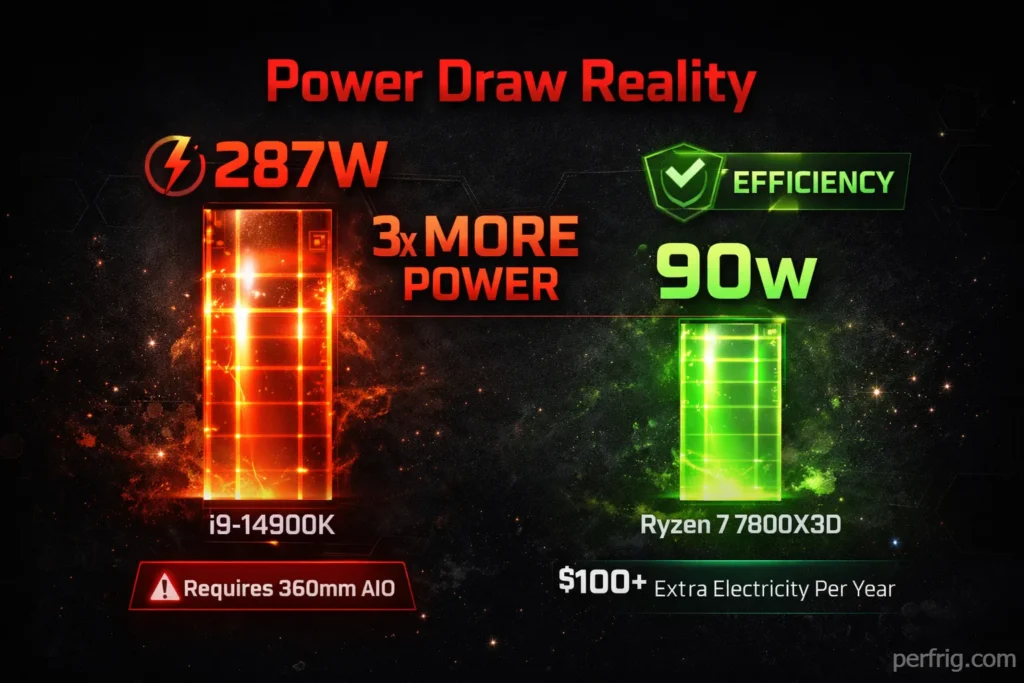
For comparison, the Ryzen 7 7800X3D pulls around 90W under gaming loads. The 14900K hits 180-200W gaming, consuming double the power for worse performance. During multi-threaded workloads, that gap widens further.
This creates several issues. First, cooling requirements explode. You need a serious AIO or high-end air cooler. A 280mm AIO represents the minimum; 360mm is safer. Even with robust cooling, the CPU runs hot—expect 85-90°C under sustained loads.
Second, PSU requirements increase. A quality 850W unit handles the 14900K plus a high-end GPU, but you’re pushing limits. For peace of mind, 1000W makes more sense. That’s an extra $100+ on the PSU budget.
Third, electricity costs add up. Running this CPU daily for gaming and work means noticeably higher power bills compared to AMD alternatives. Over two years of ownership, that difference might exceed $100 depending on local rates and usage patterns.
Intel’s inefficiency stems from pushing the Intel 7 process to its absolute limits. The architecture wasn’t designed for 6.0GHz boost clocks and 253W power delivery. Intel squeezed every possible MHz out of aging silicon rather than developing genuinely new technology.
Overclocking: Why Bother?
Technically the 14900K overclocks. Realistically, it’s already running at the edge of stability. Pushing all P-cores to 5.8-6.0GHz requires substantial voltage increases, which drives power consumption past 350W.
Gains are minimal. Maybe 3-5% in best-case scenarios, usually less. Games don’t benefit much since you’re already at 6.0GHz single-core boost. Multi-core work improves slightly, but cooling becomes nearly impossible without custom water loops.
Most buyers will leave this CPU at stock settings. Intel already pushed it hard—there’s not much headroom left without ridiculous cooling solutions and power delivery.
Platform Considerations
LGA1700 is dead. Intel’s next generation moves to LGA1851 for Arrow Lake, meaning zero upgrade path. Buy the 14900K and you’re locked into this platform forever. No 15th Gen upgrades coming. When you want more performance in two years, you’re buying a new motherboard and CPU together.
This matters more than people realize. Computer components follow a typical upgrade cycle: buy mid-range now, upgrade CPU later, eventually replace the whole platform. Intel just killed that cycle for LGA1700. You’re stuck with what you bought.
AMD’s AM5 platform supports Ryzen 7000 and 9000 series, with support confirmed through at least 2026 and likely 2027. Buying a 7800X3D today means potential CPU upgrades to 9800X3D or future releases without replacing your motherboard. That’s real value that doesn’t show up in benchmark charts.
Motherboard costs run $200-$400 for quality Z790 boards needed to handle the 14900K’s power delivery requirements. Budget B760 boards exist but throttle performance under sustained loads—the VRMs can’t handle 253W sustained power delivery. AMD’s X670 and B650 boards cost similar amounts for equivalent quality, so no advantage here for either platform.
DDR5 is mandatory on both platforms. This represents the one area where Intel and AMD reach parity—memory costs and compatibility are identical.
Who Should Buy This?
Content creators who need maximum multi-core performance and already own LGA1700 motherboards. If you’re upgrading from a 12700K or 13600K, the 14900K provides real benefits for rendering and encoding work.
Nobody else should consider this CPU seriously.
Gamers should buy the 7800X3D and save $140-$230 while gaining performance. Mixed-use buyers still favor AMD for better gaming performance, lower power consumption, and platform longevity. Pure productivity users face tough competition from the 7950X.
The only scenario where the 14900K makes sense: you already own a Z690 or Z790 motherboard, you do professional content creation, and you refuse to switch platforms. That’s an extremely narrow use case.
Pros & Cons
PROS:
- Excellent multi-core productivity performance
- 6.0GHz single-core boost
- Compatible with existing LGA1700 boards
- Strong encoding and rendering capabilities
CONS:
- Loses to 7800X3D in gaming despite costing more
- Massive 287W power consumption
- Requires expensive cooling solution
- Zero upgrade path (LGA1700 is dead)
- Basically identical to 13900K
- Poor value per dollar
- Runs extremely hot under load
The Bottom Line
The i9-14900K earns a 6/10. It’s a competent processor held back by Intel’s refusal to innovate. This isn’t a new generation—it’s a minor refresh masquerading as progress.
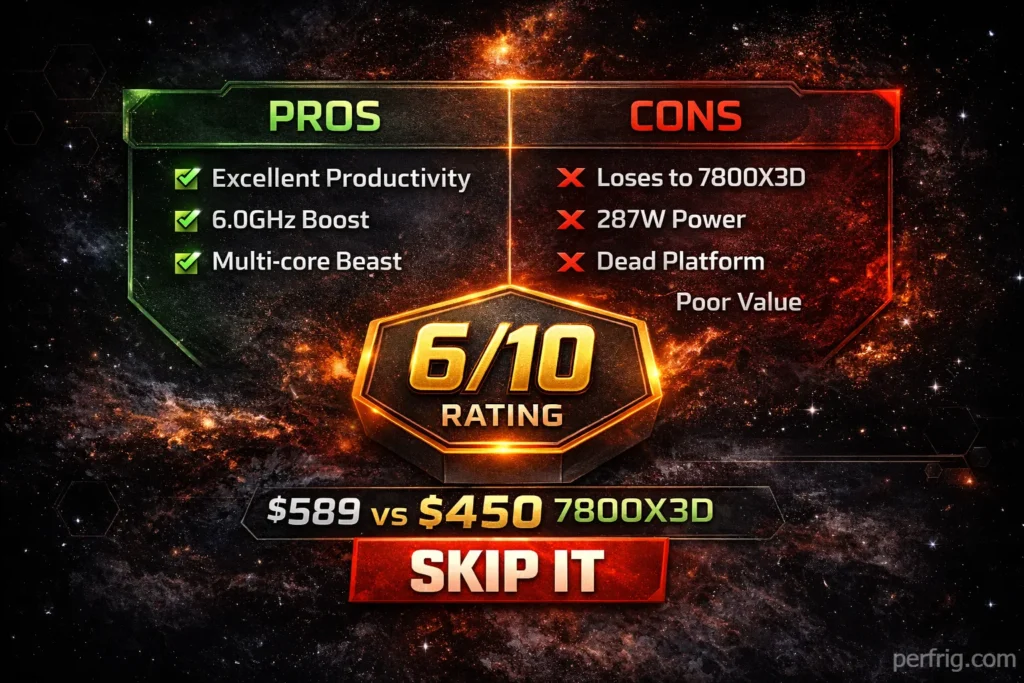
For $589, you deserve better. AMD offers superior gaming performance for $450, better efficiency across the board, and actual platform longevity. Intel’s only advantage is multi-core productivity work, where the gap narrows against the similarly-priced 7950X anyway.
The most damning criticism: if you own a 13900K, there’s zero reason to upgrade. Performance gains are negligible. Intel basically told their own customers to skip this generation.
Skip unless you specifically need maximum multi-core performance, already own an LGA1700 board, and refuse to switch platforms. Everyone else should look at AMD’s lineup or wait for actual innovation from Intel.
Real talk: this feels like a CPU Intel released because they had to, not because they had anything meaningful to say. The 14900K represents what happens when a company relies on process maturity instead of architectural advancement. It’s fast enough to be relevant but disappointing enough to hurt Intel’s reputation.
You can do better for less money. Buy the 7800X3D for gaming. Consider the 7950X for productivity. Let Intel figure out their roadmap before spending flagship money on reheated silicon.