
Look the RTX 4070 Ti Super is fast. Nobody’s arguing that. But fast doesn’t automaticaly mean worth buying and that’s what we’re here to figure out.
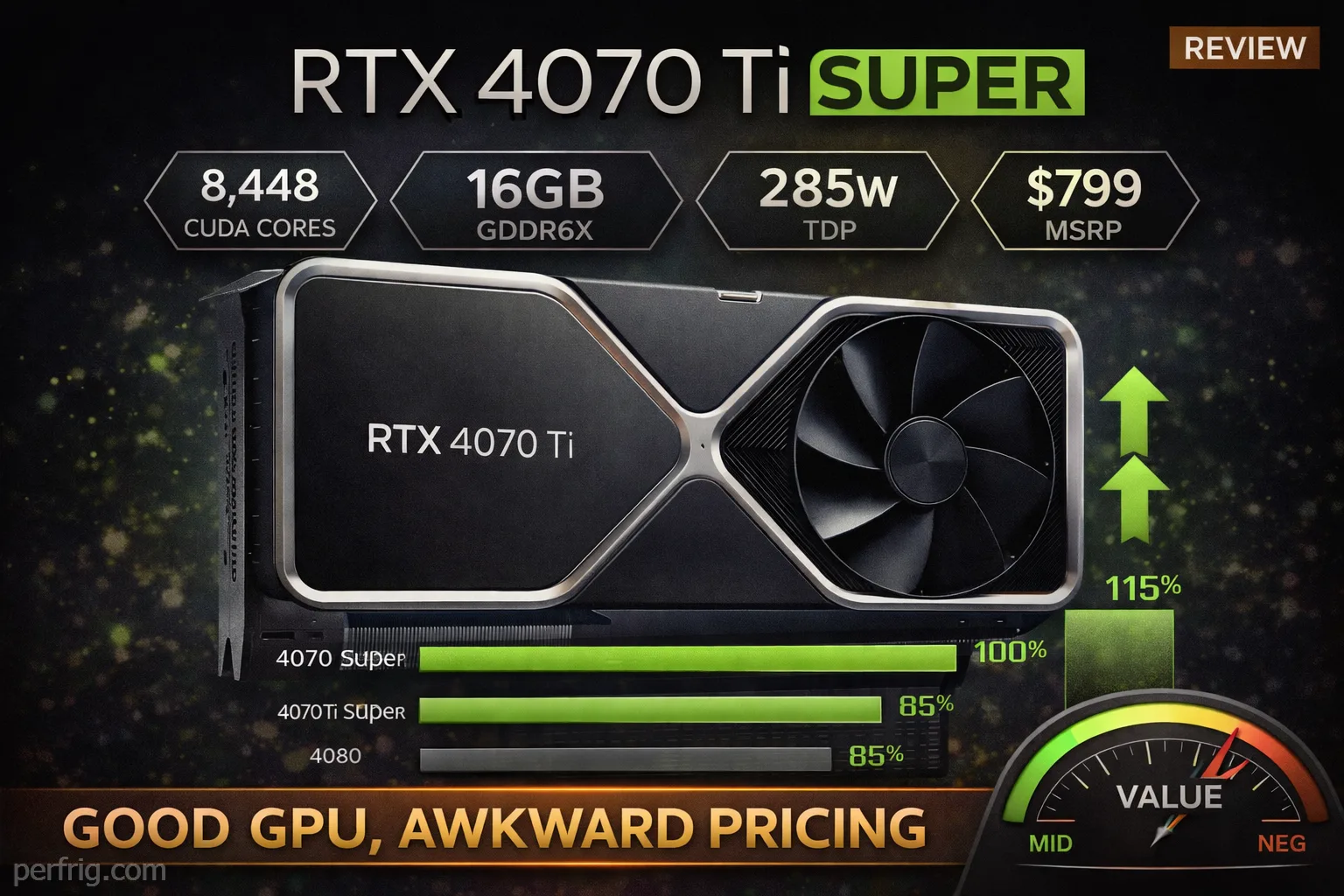
NVIDIA released this card at $799 back in January 2024—same price as the original 4070 Ti it replaced. On paper you’re getting more VRAM (16GB vs 12GB), more bandwidth (256-bit vs 192-bit), and about 10% more CUDA cores. Sounds great right. Well let’s see if those specs actually translate to real gaming performance worth caring about.
The specs that actually matter
Here’s what you need to know. The 4070 Ti Super packs 8,448 CUDA cores compared to 7,680 on the regular Ti. That’s a 10% bump but honestly not huge. The real upgrade is memory—16GB of GDDR6X on a 256-bit bus giving you 672 GB/s bandwidth. Compare that to the 12GB and 504 GB/s on the standard Ti and yeah that’s a meaningful jump.
Power draw sits at 285W which means you need a decent 750W PSU minimum. Same as the original Ti so no change there. Boost clock hits 2.61 GHz which is fine but nothing special—this isn’t where the performance gains come from.
The card uses NVIDIA’s AD103 chip (same as the 4080) instead of the AD104 from the regular 4070 Ti. That die change is what enables the wider memory bus and higher VRAM capacity. Real talk though most of you won’t care about chip architecture—you just want to know if games run better.

Gaming performance: the numbers
At 1440p—which is where this card makes the most sense honestly—you’re looking at strong performance across the board. Testing shows average framerates around 125-130 FPS in most AAA titles at ultra settings without ray tracing.
Cyberpunk 2077 at 1440p ultra hits about 95 FPS. That’s roughly 6% faster than the regular 4070 Ti which is honestly disappointing given the spec upgrades. Spider-Man Remastered pushes past 200 FPS easily. Resident Evil 4 sits around 120 FPS. These are solid numbers but here’s the thing—the regular 4070 Ti wasn’t far behind in most cases.
The performance gap between the Ti Super and regular Ti shrinks as you drop resolution. At 1440p you’re seeing 4-6% improvements in many titles. That’s not nothing but it’s also not exactly exciting for a card that was supposed to be a meaningful upgrade.
Move up to 4K and the extra VRAM and bandwidth start mattering more. Cyberpunk at 4K ultra averages 62 FPS on the Ti Super compared to 58 FPS on the regular Ti. Still not a massive jump but at least the gap widens slightly. Games that actually use more than 12GB VRAM show bigger gains—The Last of Us Part 1 and Alan Wake 2 benefit noticeably from that extra memory capacity.

Ray tracing changes the game
This is where NVIDIA pulls ahead of AMD significantly. With ray tracing enabled at 1440p the 4070 Ti Super handles demanding titles reasonably well. Cyberpunk with path tracing becomes playable with DLSS—you’re getting 40-50 FPS with Quality mode upscaling which is acceptable.
The 4070 Ti Super beats AMD’s 7900 XT by 35-40% in ray traced workloads which is substantial. That’s the NVIDIA advantage showing up clearly. If you care about ray tracing and playing games like Cyberpunk or Alan Wake 2 with RT maxed out then yeah this card makes more sense than AMD’s offerings.
But let’s be honest—how many games actually have ray tracing that’s worth the performance hit. And of those how many people actually keep RT enabled when it tanks framerates. DLSS helps a ton but you’re still making compromises.
The competition problem
Here’s where things get messy. At $799 the 4070 Ti Super sits in an awkward spot. The regular RTX 4070 Super costs $599 and delivers about 85-90% of the performance (check our full RTX 4070 vs 4070 Ti comparison for detailed benchmarks). That’s a $200 difference for maybe 10-15% more frames.
AMD’s RX 7900 XT typically sells for $700-750 now and trades blows with the 4070 Ti Super in rasterization. Sometimes it wins sometimes it loses but overall they’re pretty close without RT enabled. You’re basically paying $50-100 more for better ray tracing and DLSS which might matter to you or might not.
The RTX 4080 is only $150-200 more if you can find one on sale and that’s a much bigger performance jump—we’re talking 15-20% faster consistently. If you’re already spending $800 on a GPU stretching to $950-1000 for noticeably better performance starts making sense.
Bottom line the 4070 Ti Super doesn’t really have a clear identity. It’s caught between the better-value 4070 Super below it and the more powerful 4080 above it.

Power and thermals
The 285W TDP means this card runs warmer than the regular 4070 but nothing crazy. Most partner cards keep temps in the 68-75°C range under load with decent coolers. Memory temps usually sit around 70-75°C which is fine.
Fan noise varies by model but generally you’re looking at 35-38 dBA under gaming load. Audible but not annoyingly loud unless you have a particularly aggressive partner card with small fans spinning fast.
Power efficiency is decent for the performance level. You’re getting about 0.55-0.60 FPS per watt at 4K which puts it roughly on par with the regular 4070 Ti. AMD’s cards are sometimes more efficient in pure raster workloads but NVIDIA makes up ground with better performance per watt when RT is involved.
Real world power draw during gaming sits around 260-280W for most titles. Expect spikes up to the 285W limit in demanding scenarios. A good 750W PSU handles this easily with headroom for the rest of your system—especially if you’re pairing it with a high-end CPU from our gaming CPU buying guide.
DLSS and frame generation
DLSS 3 with frame generation is genuinly impressive when it works well. In supported titles you can nearly double framerates at 4K which makes the difference between 50 FPS and 95 FPS—that’s huge for playability.
Cyberpunk with DLSS Quality and frame gen pushes well past 100 FPS at 4K with RT enabled. That transforms the experience from choppy to smooth. Same story with games like Starfield and Spider-Man where frame gen adds 40-60 FPS on top of regular DLSS upscaling.
The downside is input latency increases with frame generation. You’ll notice it in competitive shooters or fast-paced games where responsiveness matters. For single-player adventures it’s fine but don’t expect to use frame gen in Counter-Strike or Valorant.
DLSS Quality mode at 1440p looks nearly identical to native while boosting performance 30-40%. That’s basically free frames with minimal image quality loss. Frame generation is more situational but when it works it’s effective.
Who should actually buy this
If you’re gaming at 1440p high refresh (144Hz or higher) and want maximum frames with settings maxed out the 4070 Ti Super delivers. You’ll push 120+ FPS in most titles which keeps that high refresh monitor fed properly.
For 4K gaming it’s capable but you’ll need to lean on DLSS in demanding titles to maintain 60+ FPS. Native 4K ultra is doable in lighter games but AAA titles will require some compromises. The 16GB VRAM gives you headroom for future games though.
Content creators working with GPU-accelerated rendering will appreciate the 16GB VRAM and tensor cores for AI workloads. Video editing in Davinci Resolve and 3D rendering in Blender both benefit from the extra memory capacity.
Ray tracing enthusiasts who want to actually use RT in games like Cyberpunk or Alan Wake 2 without tanking to 30 FPS need NVIDIA’s hardware advantage. AMD can’t compete here and the 4070 Ti Super has enough power to make RT playable with DLSS.
Who should skip it
Budget-conscious gamers should look at the RTX 4070 Super instead. You’re saving $200 for performance that’s maybe 10% lower which is way better value. That $200 buys a lot of games or a better monitor.
If you don’t care about ray tracing AMD’s RX 7900 XT offers similar rasterization performance for less money. You lose DLSS and RT capability but gain better raw performance in traditional rendering. Depends on your priorities.
People gaming at 1080p don’t need this much GPU. You’d be wasting money on performance you can’t use. Even 1440p is kinda overkill unless you’re chasing 240+ FPS in esports titles.
Anyone hoping for a big generational leap from the original 4070 Ti will be disappointed. The improvements are incremental not transformational. If you already own a 4070 Ti there’s zero reason to upgrade.
The verdict
Real talk the RTX 4070 Ti Super is a good GPU that exists in a bad price position. The performance is there—you’ll get smooth high-refresh 1440p gaming and playable 4K with DLSS. Ray tracing performance is genuinly impressive and the 16GB VRAM provides future-proofing.
But at $799 it competes with cards that offer better value (4070 Super) or meaningfully better performance for not much more money (4080 on sale). The 10% improvement over the regular 4070 Ti doesn’t justify keeping the same $799 price when the regular Ti is now available for $650-700.
If you can find the 4070 Ti Super on sale for $700 or less it starts making more sense. At MSRP though you’re paying a premium for incremental gains. That’s not a recipe for a strong recommendation.
The bottom line: capable GPU awkward pricing not the best value in the stack. Look at the 4070 Super below it or stretch to the 4080 above it unless you specifically need 16GB VRAM.