
Windows 11 DirectStorage: does it actually improve gaming performance?
CONTENTS
Microsoft’s storage API promises faster load times and reduced CPU overhead, but adoption remains limited
DirectStorage represents Microsoft’s most significant gaming-focused storage optimization in years, yet three years after launch only a handful of titles actually support it. The technology bypasses traditional CPU bottlenecks by allowing your GPU to pull compressed data directly from NVMe SSDs, theoretically slashing load times while freeing processor resources for game logic and physics calculations. Understanding whether DirectStorage delivers on these promises requires examining both the underlying technology itself and the frustratingly slow developer adoption that severely limits its real-world impact for most gaming systems.
How DirectStorage works
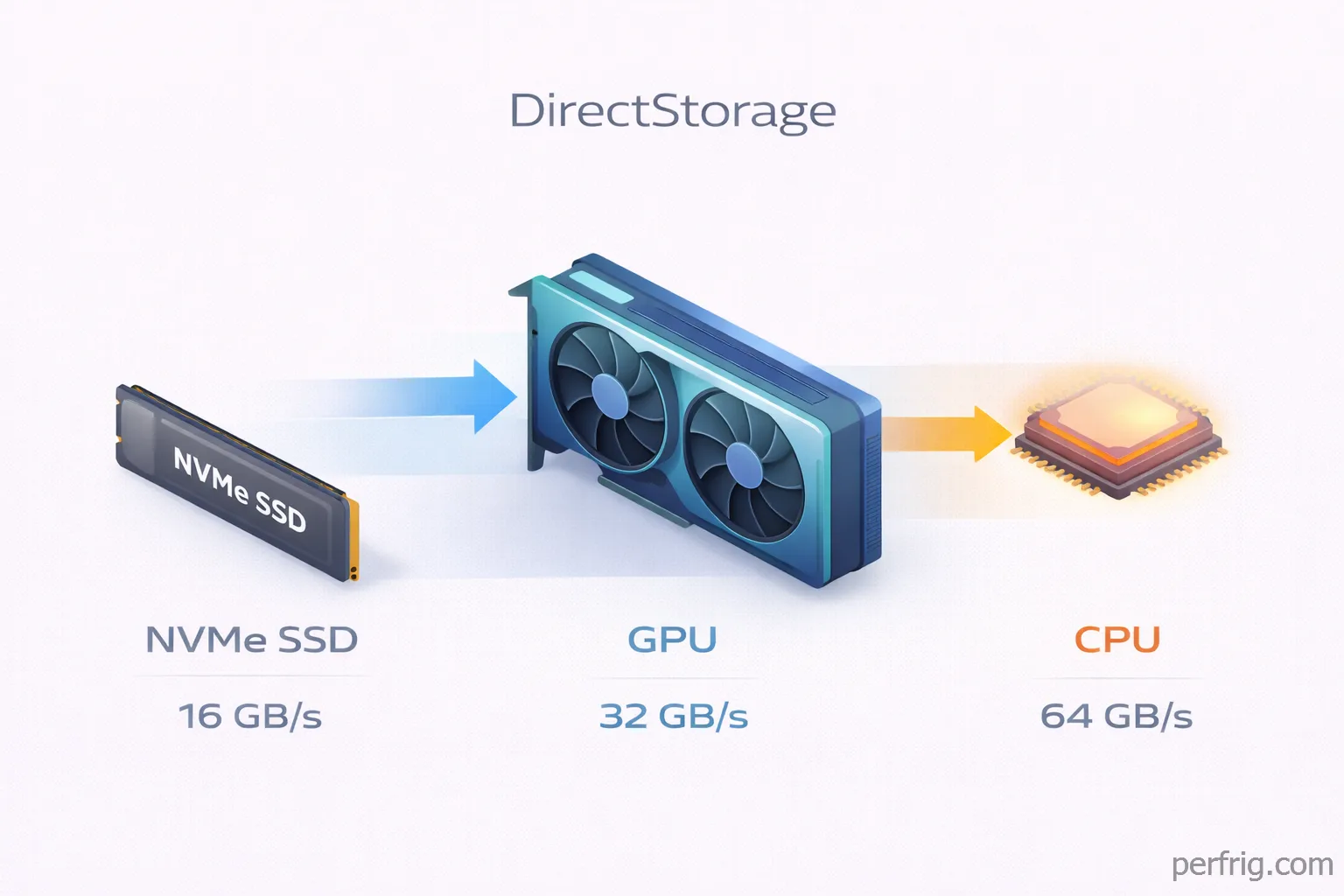
Traditional game loading follows an inefficient path—your CPU reads compressed assets from storage into RAM, decompresses them, then sends data to your GPU. DirectStorage bypasses this by handling decompression directly on the GPU using its parallel compute capabilities.
The DirectStorage 1.1 implementation batch-processes thousands of IO requests simultaneously rather than managing them individually. Microsoft’s testing showed CPU overhead reductions between twenty and forty percent, with the higher end achieved on Windows 11’s optimized storage stack.
GPU decompression forms the killer feature. PC Games Hardware testing demonstrated an Intel Arc A770 pushing 16.8 GB/s, RTX 4080 achieving 15.3 GB/s, and AMD’s RX 7900 XT managing 14.6 GB/s. These numbers represent genuine improvements over CPU-bound decompression bottlenecks.
Windows 11 versus Windows 10 implementation
DirectStorage works on Windows 10 version 1909 and later, but Windows 11’s redesigned storage stack provides meaningful advantages. The newer OS includes file system optimizations specifically targeting NVMe performance.
TechSpot’s fourteen-game benchmark showed Windows 11 delivering four to five percent average performance gains versus Windows 10. Storage benchmarks reveal larger gaps—a Kingston SA2000 drive improved from 388 MB/s on Windows 10 to 550 MB/s on Windows 11 in random 4K writes, representing a forty-percent increase.
Supported games and adoption challenges
Here’s the genuinely frustrating part—almost nothing actually uses DirectStorage. As of early this year the complete list includes Ratchet & Clank: Rift Apart, Forspoken, Forza Motorsport, and Horizon Forbidden West. That’s four titles properly implementing a technology Microsoft announced with considerable fanfare three years ago. Other games may include partial DirectStorage support without enabling GPU decompression, limiting the benefits.
Developer adoption faces several hurdles. Implementation requires significant engineering time to restructure asset pipelines and loading systems, yet the user base running hardware capable of fully utilizing DirectStorage remains relatively small. Studios need DirectX 12 Ultimate-compatible GPUs, fast NVMe drives, and preferably Windows 11 for maximum benefit. Many developers reasonably question whether this investment pays off when most players won’t notice differences.
Technical challenges also emerged. Nixxes struggled implementing GPU decompression properly in Horizon Forbidden West and ultimately shipped without that feature enabled. Ratchet & Clank showed performance regressions on certain NVIDIA cards in specific scenarios. These implementation difficulties discourage other studios from prioritizing DirectStorage integration when traditional loading methods work adequately.
Measurable performance benefits
When DirectStorage functions correctly the results genuinly impress. Forspoken loads in aproximately two seconds with DirectStorage versus ten-plus seconds using traditional methods—a five-times improvement that drastically reduces waiting between gameplay sessions. Ratchet & Clank’s dimension-hopping mechanic loading entirely new environments mid-gameplay only works practically with DirectStorage-level throughput enabling seamless transitions.
The technology particularly benefits open-world games streaming detailed assets as players traverse large environments at high speed. Traditional loading creates that annoying texture pop-in where low-resolution placeholders gradually sharpen as higher-quality textures stream into memory. DirectStorage’s superior throughput allows preloading higher-resolution assets well before they enter the player’s field of view, eliminating visible pop-in during fast movement through graphically detailed open worlds and maintaining visual quality consistency.
CPU overhead reductions matter for overall system responsiveness beyond pure loading time metrics. Freeing twenty to forty percent of processor cycles previously spent managing storage IO operations allows those resources handling critical game systems like physics calculations, AI decision-making, and other gameplay logic. This benefit becomes more pronounced in CPU-limited scenarios where the processor already struggles keeping up with game demands, or when running resource-intensive background applications like streaming software, voice chat programs, or recording tools alongside your games.
Hardware requirements
DirectStorage requires an NVMe SSD—SATA drives lack necessary bandwidth. Microsoft recommends drives capable of at least 2.5 GB/s sequential reads, though faster PCIe 4.0 drives reaching seven GB/s show better results.
GPU decompression requires DirectX 12 Ultimate support. NVIDIA RTX 2000-series and newer, AMD RX 5000-series and newer, and Intel Arc lineup all work. Older cards can utilize DirectStorage without GPU decompression, though benefits become substantially smaller.
Windows 11 gaming optimizations beyond DirectStorage
Auto HDR adds high dynamic range lighting automatically to DirectX 11 and DirectX 12 games not originally designed with HDR support. If you own an HDR-capable display this feature genuinly improves visual quality in hundreds of titles without performance cost. Brighter highlights and deeper shadows create more depth without developers updating anything.
Thread scheduling improvements benefit hybrid processors significantly. Windows 11 intelligently routes workloads between Intel’s performance and efficiency cores on twelfth-generation processors and newer. AMD Ryzen systems with 3D V-Cache also see better scheduling that keeps game threads on the correct chiplet. These optimizations provide five to fifteen percent performance uplifts on modern CPUs.
The Xbox Full Screen Experience represents Microsoft’s answer to Steam’s Big Picture mode. Originally exclusive to handheld gaming PCs, the interface now works on desktop systems and provides controller-focused navigation designed for couch gaming. While not performance-related it improves user experience for living room setups.
Should you upgrade for DirectStorage
Honestly the current state doesn’t justify upgrading to Windows 11 purely for DirectStorage. Four supported games across three years represents failure-level adoption regardless of how impressive the underlying technology performs. Unless you specifically play those titles and value faster loading enough to potentially deal with Windows 11’s other changes, DirectStorage alone won’t improve your gaming experience.
That said Windows 11 provides other incremental benefits for gaming PCs. The thread scheduling improvements benefit modern processors, storage stack optimizations help NVMe performance broadly, and Auto HDR costs nothing if you have compatible displays. Combined these features create modest but real advantages, particularly on newer hardware.
DirectStorage’s potential remains massive if developer adoption eventually materializes. The technology works as advertised when implemented properly, cutting load times dramatically while reducing CPU overhead. Whether that potential becomes reality depends entirely on Microsoft incentivizing developers to actually use the API they created. Until that happens DirectStorage represents promising technology without practical relevance for most gamers.

Amed Parker
PC performance and hardware specialist focused on system optimization and component analysis with real world performance testing. I combine hardware knowledge with tuning expertise to deliver stable and efficient results.