
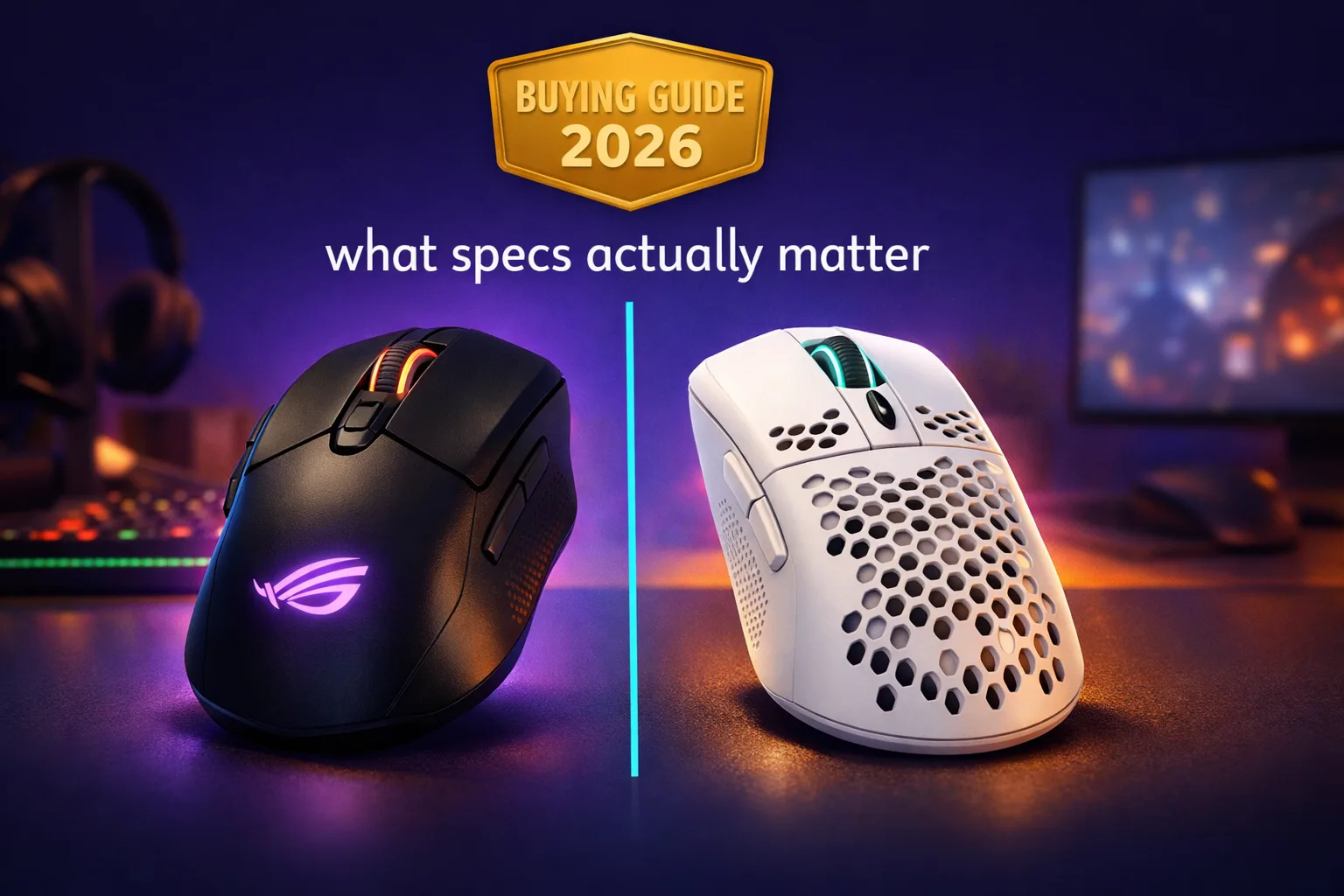
If you’re shopping for the best gaming mouse in 2026, most of what you’ll find marketed is noise. Ridiculous DPI numbers, “AI-powered” sensor claims, RGB that adds weight and zero performance. After spending a lot of time at a desk with a lot of different mice, the specs that actually change your experience day to day are simpler than the spec sheets want you to believe.
This guide cuts through the marketing and focuses on what you’ll practicaly notice in a real session.
Sensor quality vs DPI: what the numbers actually mean
The sensor is the only spec that genuinely matters for accuracy, and the honest truth is that almost every mouse sold above $40 in 2026 uses a sensor good enough for serious play. The gap between a $60 mouse and a $160 mouse in terms of raw sensor performance is small to the point of being irrelevant for the vast majority of players.
DPI is the number brands love to lead with. You’ll see 36,000 DPI advertised like it’s a feature. In practice, most players use somewhere between 400 and 1600 DPI. High DPI isn’t better, it’s just different. What matters is whether the sensor tracks accurately at your preferred sensitivity without spinning out or jittering, and modern optical sensors handle this without issues.
The one sensor spec worth paying attention to is the max tracking speed, measured in IPS (inches per second). A sensor that starts losing accuracy when you move fast will feel noticeably off in competitive play. Better sensors track accurately up to 400+ IPS. For most people at normal sensitivity levels, this never becomes a real constraint. But if you play with very low DPI and fast flick movements, it’s worth checking.
In practice, what you’ll actually notice is whether the sensor glides smoothly and registers your movement without hesitation. That comes down to surface compatibility as much as the sensor itself. A great sensor on a bad surface will feel worse than a decent sensor on the right pad.
Shape and grip style: the part people get wrong
This is where buying decisions go wrong most often. People obsess over sensor specs and ignore shape, then wonder why an objectively good mouse feels uncomfortable after two hours.
Grip style breaks down into three main categories. Palm grip means your entire hand rests on the mouse. Claw grip means your fingers arch over the buttons. Fingertip grip means only your fingertips make contact. Most people naturally use a hybrid of two of these depending on what they’re doing, but understanding your dominant style helps you pick the right shape.
For palm grip players, a longer mouse with a high hump in the back fits well. For claw and fingertip players, a shorter mouse with a lower profile usually works better. For competitive players who move the mouse a lot, a compact ambidextrous shape often makes sense because it gets out of the way of aggressive movement.
After a few hours, you start to notice the cost of a shape that doesn’t fit your hand. A technically excellent mouse that forces an awkward grip will lose to a mid-range mouse that feels natural. I know this sounds like the kind of thing only enthusiasts care about, but it genuinely shows up in longer sessions.
Wireless latency: not the problem it used to be
Two or three years ago, recommending a wireless gaming mouse came with caveats. The latency gap between wired and wireless was measurable and, for competitive players, arguably meaningful.
That’s no longer true for most options at the mid-range and above. Modern wireless gaming mice using 2.4GHz USB receivers operate at 1ms polling intervals with latency that’s indistinguishable from wired in real play. The technology caught up.
The caveat is that not all wireless is equal. Bluetooth wireless is still noticeably higher latency than 2.4GHz and isn’t the right choice for gaming. Cheap wireless mice that don’t use dedicated USB receivers often have inconsistent performance. When you’re buying wireless, you’re specifically buying into 2.4GHz receiver technology, not just any wireless option.
Battery life varies enormously. Some mice last 70+ hours between charges, others last 20. RGB lighting is the biggest variable in battery life. Turn it off and you’ll often double the runtime. For most people, a mouse that lasts 40+ hours per charge with RGB off is more than enough for normal use.
Polling rate and weight: how much does it actually matter
Polling rate is how often the mouse reports its position to your PC. 1000Hz has been the standard for years. 4000Hz and 8000Hz options now exist, primarily aimed at competitive players who want every possible edge.
Day to day, the difference between 1000Hz and 4000Hz is subtle enough that most players won’t feel it. For high-level competitive play at very high framerates, the additional precision in movement registration is real but small. If you’re playing casually or even at a serious amateur level, 1000Hz is perfectly adequate.
Weight is more noticeable than polling rate for most people. Mice have gotten lighter over the years, and the trend toward ultralight designs (below 60g) has real benefits for players who make large, fast movements. A lighter mouse reduces fatigue in long sessions and generally makes quick movements easier.
That said, some players prefer a slightly heavier mouse for a more controlled feel. This is genuinely personal. If you’ve never tried an ultralight mouse, it’s worth trying one before committing to the idea that heavier is better.
Budget recommendations by use case
Under $50: the Razer DeathAdder V3 HyperSpeed and Logitech G305 are the obvious choices. Both use reliable sensors, both have solid shapes, both come with good 2.4GHz wireless. At this price, you’re not giving up performance, just premium materials.
$60 to $90: this is where most people should be shopping. The Logitech G Pro X Superlight 2 DEX, Razer Viper V3 HyperSpeed, and Pulsar X2 all sit in this range and represent genuinely excellent products with no real compromises.
Above $100: you’re paying for marginal improvements in build quality, weight, or premium features like higher polling rates. Worth it for players who spend serious hours at the desk. Hard to justify purely on performance grounds.
The diferent between a $60 mouse and a $150 mouse, in terms of how your game actually plays, is much smaller than the price gap suggests. Get the shape right first. Everything else is optimization.













Join the Discussion