
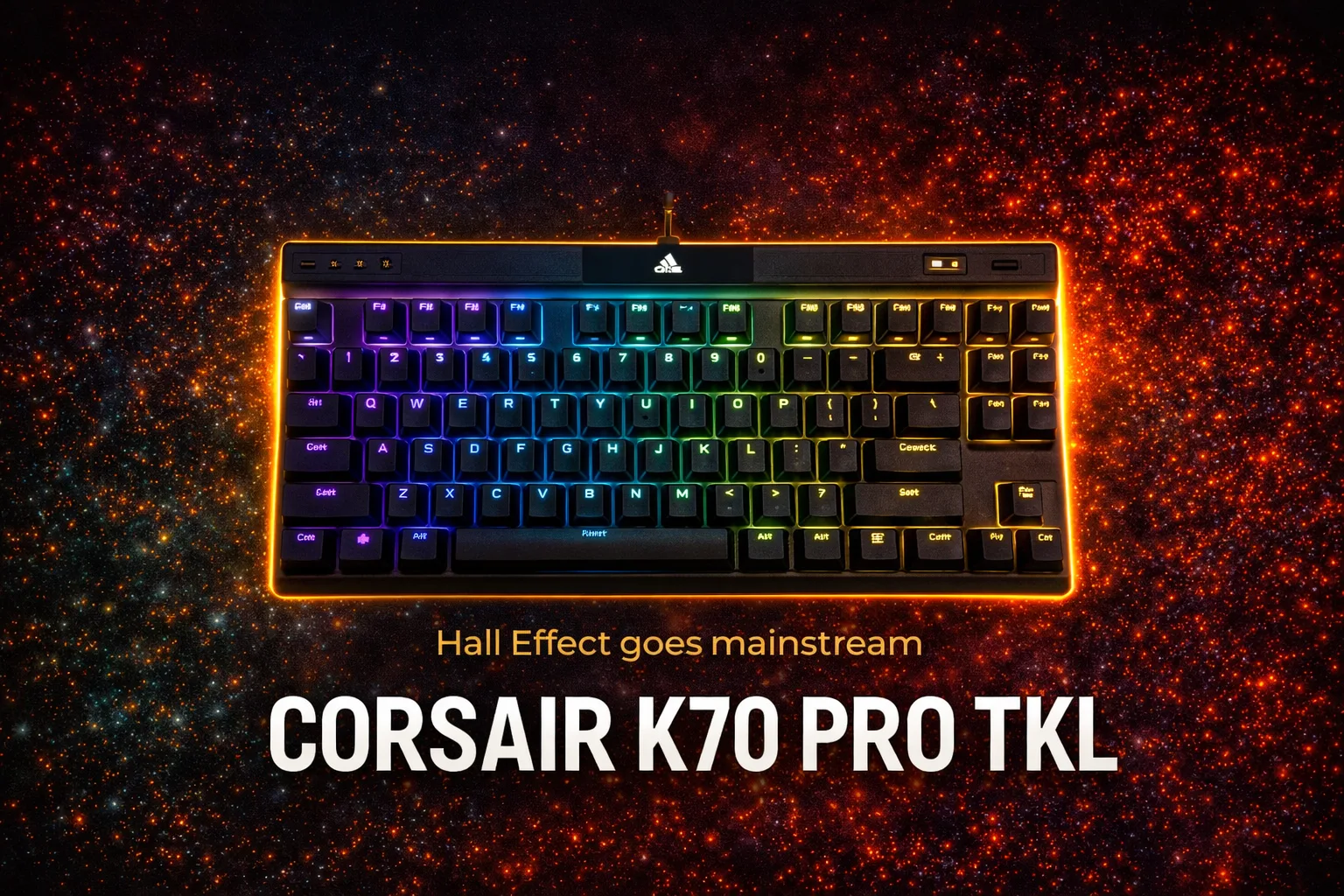
Hall Effect switches, 8000Hz polling, and a price that demands justification.
Corsair spent years watching the Hall Effect keyboard market grow without them. The Wooting crowd took over the competitive scene while Corsair kept shipping the same traditional mechanical boards. The K70 Pro TKL is their answer: magnetic switches, Rapid Trigger, FlashTap, 8000Hz polling, and a price tag of $189 for the PBT version. Look, here’s what you actually need to know: the core technology is genuinly excellent, and the build is solid. The compromises are real, but they matter more for some people than others.
Build quality and feel
The K70 Pro TKL follows the same design language Corsair has been using for years. Aluminum top plate over a plastic case, floating keycap layout, RGB throughout. It does not look like a $189 keyboard from the outside, and that is honest criticism.
What does feel premium is the typing experience. Corsair includes two layers of sound-dampening foam inside the case, and the result is one of the better-sounding Hall Effect keyboards from a major brand. The switches have a smooth, linear feel with noticeably less resistance than traditional mechanicals. Pre-lubed from the factory, which is a genuine positive at this price.
The included magnetic wrist rest is a nice touch. Memory foam padding, leatherette cover, attaches and detaches cleanly. It adds bulk to an already-not-compact TKL, but it is comfortable for longer sessions.
The floating keycap design is a matter of preference. Easier to clean, less recessed, and some people love it. I find it makes the board look cheaper than it is. The plastic case underneath the aluminum plate does not help that impression.
Here’s the problem that shows up on close inspection: not all switches are equal on this board. The primary keys use Corsair’s MGX Hyperdrive magnetic switches with full Hall Effect functionality. The function row, arrow keys, and navigation keys use MLX Plasma linear mechanicals. Same pre-lubed smooth feel, but no Rapid Trigger, no adjustable actuation, no FlashTap. Corsair made a cost decision here. The keys you use most in competitive gaming get the good switches. Everything else gets the standard linears.
That is acceptable for most gaming use cases. It becomes annoying if you remap heavily or use function row keys in-game.
Hall Effect switches: what the technology actually changes
The MGX Hyperdrive switches support actuation point adjustment from 0.4mm to 3.6mm in 0.1mm increments. Corsair recommends staying within that range for accuracy. The switches deviate by a maximum of 0.18mm from the set point, which is a strong accuracy claim and holds up in practice.
Rapid Trigger is the feature that changed how competitive players think about keyboards. The switch resets the moment you release it, not at a fixed reset point. In fast-paced shooters this translates directly into cleaner strafing and more precise directional inputs. If you have not used Rapid Trigger before, the difference is noticeable within minutes of playing a movement-intensive game.
FlashTap is Corsair’s implementation of SOCD handling for the A and D keys. It lets you hold one direction and tap the opposite to instantly prioritize the new input. Useful in games that support it. Worth noting: Counter-Strike 2 has banned SOCD inputs, and Corsair includes a toggle specifically for tournament play. That awareness was the right call.
Dual actuation is a less-discussed feature that deserves attention. You can map two different actions to the same key based on how deeply you press it. The most practical application is mapping sprint to a partial W press, so you walk with a light tap and run with a full press. This is genuinely useful in RPGs and open-world games.
Software reliability
Real talk: iCUE is the weakest part of this keyboard. The software works, features are all there, and the initial setup is guided reasonably well. The problem is reliability over time. iCUE is resource-heavy, occasionally slow, and has a documented history of update problems across Corsair’s product range.
The good news is that the K70 Pro TKL stores five onboard profiles. Once you have your settings configured, you do not need iCUE running to use the keyboard’s features. The Game Mode button on the board itself toggles tournament-ready configuration: lighting off, polling rate to 8000Hz, Rapid Trigger enabled for all keys. That button-based workflow is smartly designed and reduces daily dependence on the software significantly.
The iCUE interface for the Hall Effect-specific settings (actuation, Rapid Trigger sensitivity, FlashTap) is functional but not intuitive. First-time setup requires some patience. Once configured, it stays configured.
Latency and polling rate
The 8000Hz polling rate means the keyboard reports its state to your PC 8000 times per second instead of the standard 1000. Whether you notice the difference between 1000Hz and 8000Hz in actual gameplay is genuinely debatable. Most players cannot reliably detect the difference in blind tests.
What is not debatable is the switch-level latency improvement from Hall Effect technology. Magnetic switches have no physical contact bounce, which removes one variable from the input chain entirely. Combined with Corsair’s Axon onboard processing, the keyboard’s end-to-end input latency is competitive with the fastest options on the market.
Bottom line: the 8000Hz number is marketing. The low input latency from the Hall Effect switches is real and measurable.
Worth the price
The K70 Pro TKL costs $189 for the PBT version and $179 for ABS. At that price, you are comparing it against the Wooting 60HE at around $175, the NuPhy Field75 HE at a similar range, and Razer’s Huntsman V3 Pro TKL at $199.
The Wooting 60HE has better software. The NuPhy options undercut Corsair on price with comprable Hall Effect performance. Razer costs more for a brand premium that does not translate into meaningful performance gains.
Where Corsair wins is build quality and the complete feature set in a familiar form factor. The K70 Pro TKL is the Hall Effect keyboard for the person who wants the technology without learning a new software ecosystem from scratch, and who values a solid physical product over software depth.
Pros: excellent Hall Effect switch performance, strong build with real foam dampening, Game Mode button is genuinely useful, PBT keycaps included, wrist rest in the box.
Cons: iCUE reliability issues, plastic case feels below the price point, not all keys have Hall Effect switches, no wireless option.
Verdict: consider. If you are coming from a traditional mechanical keyboard and want the Hall Effect upgrade without switching to a smaller independent brand, the K70 Pro TKL delivers. If you prioritize software flexibility and do not care about the Corsair name, the Wooting 60HE is the smarter buy at this budget.
Score: 7.5/10














Join the Discussion