
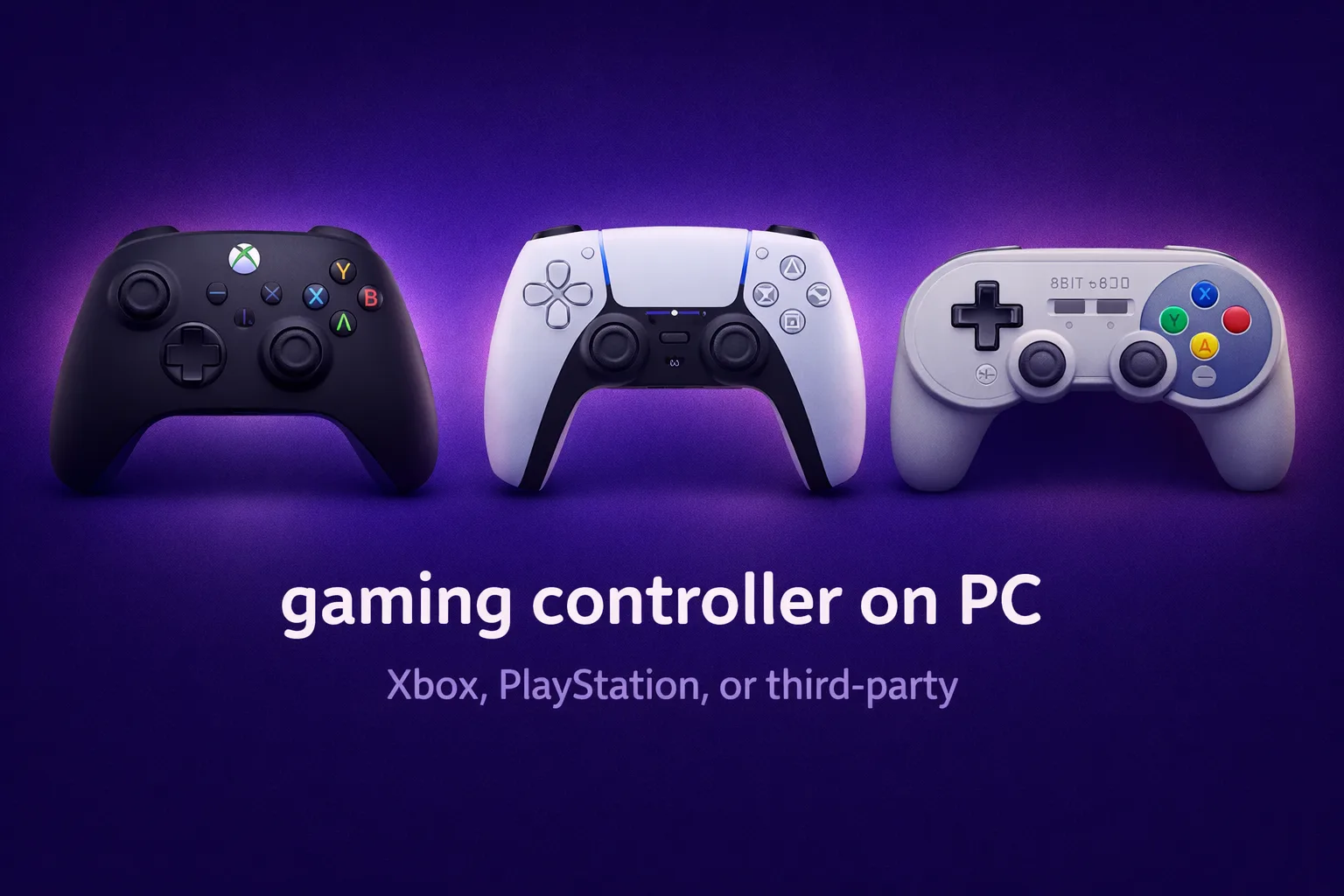
The answer depends less on which controller and more on how you actually play.
Using a controller on PC is better supported in 2026 than it has ever been, and the gap between options has narrowed significantly. But the differences that remain are worth understanding before you plug something in and wonder why a game is not responding the way you expect. This guide covers what actually changes between controllers in real sessions, not just on the spec sheet.
Xbox controllers: the path of least resistance
For plug-and-play simplicity on Windows, Xbox controllers have a structural advantage. Windows treats Xbox input as a native protocol called XInput, which means any game that supports controllers will recognize an Xbox controller instantly, with no additional setup. Wired or wireless through the Xbox adapter, the experience is the same: connect and play.
In practice, what you will actually notice is how well this translates across different software. Steam, the Nvidia app, Xbox Game Pass, nearly every launcher recognizes Xbox controllers without configuration. For players who move between many different games and do not want to think about compatibility, this is genuinely the lowest-friction option.
The controllers themselves have evolved. The current Xbox Series controller has textured grip, a USB-C port, and a Share button. The D-pad, while improved, still trails the PlayStation D-pad for precision in games that use it heavily. After a few hours, you start to notice that the bumpers have a softer feedback than DualSense triggers, which matters in games where you press them hundreds of times per session.
PlayStation DualSense: the better hardware with more setup
The DualSense has the most technically impressive features of any major controller on PC right now. Adaptive triggers that change resistance mid-game. Haptic feedback that communicates surface and weight beyond simple rumble. The feel of it is hard to describe, but I’ll try: pulling a bow with adaptive triggers enabled feels meaningfully different from pressing a gas pedal, and both feel different from a shooter trigger. That differentiation does not exist on Xbox controllers.
The catch is that PC support depends entirely on the game. Sony has not opened the DualSense’s advanced features to a universal API the way Xbox has with XInput. Games need to specifically implement DualSense support to unlock adaptive triggers and haptics. The list has grown substantially through 2025 and 2026, but plenty of titles still treat the DualSense as a generic gamepad.
Steam’s DualSense support is solid. Outside of Steam, particularly with older games or non-Steam launchers, you may need DS4Windows for full recognition. This is a one-time setup issue rather than an ongoing problem, but worth knowing before you expect things to just work.
Third-party options: when they make sense
The third-party controller space has matured. Controllers from 8BitDo and Razer offer features that neither Sony nor Microsoft include at standard prices: hall effect sticks (which eliminate the drift that affects DualSense and older Xbox controllers over time), adjustable trigger stops, and remappable back paddles.
For competitive players, this changes things. Trigger stops reduce how far you need to pull before the input registers, which matters in shooters where actuation speed affects reaction time. Hall effect sticks remove the centering drift that accumulates with wear. These advantages are noticeable over sustained competitive play.
The tradeoff is software ecosystem. Third-party controllers work as XInput devices, which covers compatibility, but no game will do something special with them the way a game can activate DualSense haptics. They are hardware-level upgrades, not software-integrated ones.
Which games favor controller
Certain categories play better with a controller regardless of which one you use. Third-person action games, fighting games, platformers, racing games, and soulslike titles are designed with analog input in mind. The left stick communicates nuance that a keyboard cannot replicate. A character walking slowly and changing direction at varying speeds is analog behavior that feels natural on a controller and mechanical on keyboard.
First-person shooters are the opposite. Mouse and keyboard provides targeting precision that no controller matches, even with aim assist. Sports games sit in between depending on genre.
Day to day, this matters more than the spec sheet suggests. The right choice is whichever controller you will actually reach for naturally.
The practical answer
If you want zero setup and broad compatibility across every game and launcher: Xbox controller, wired or wireless.
If you play modern PC games that support it and want the best in-hand experience when it works: DualSense, with the understanding that some setup is required outside of Steam and not every game unlocks its features.
If you play competitive shooters or want long-term reliability without drift: a hall effect third-party option from 8BitDo or similar.
Most players who reach for a controller on PC do it for comfort and game feel, not optimization. Any of these serves that purpose well. The differences show up in specific situations, and knowing which situations apply to your actual library is the actualy useful piece of information here.












Join the Discussion