
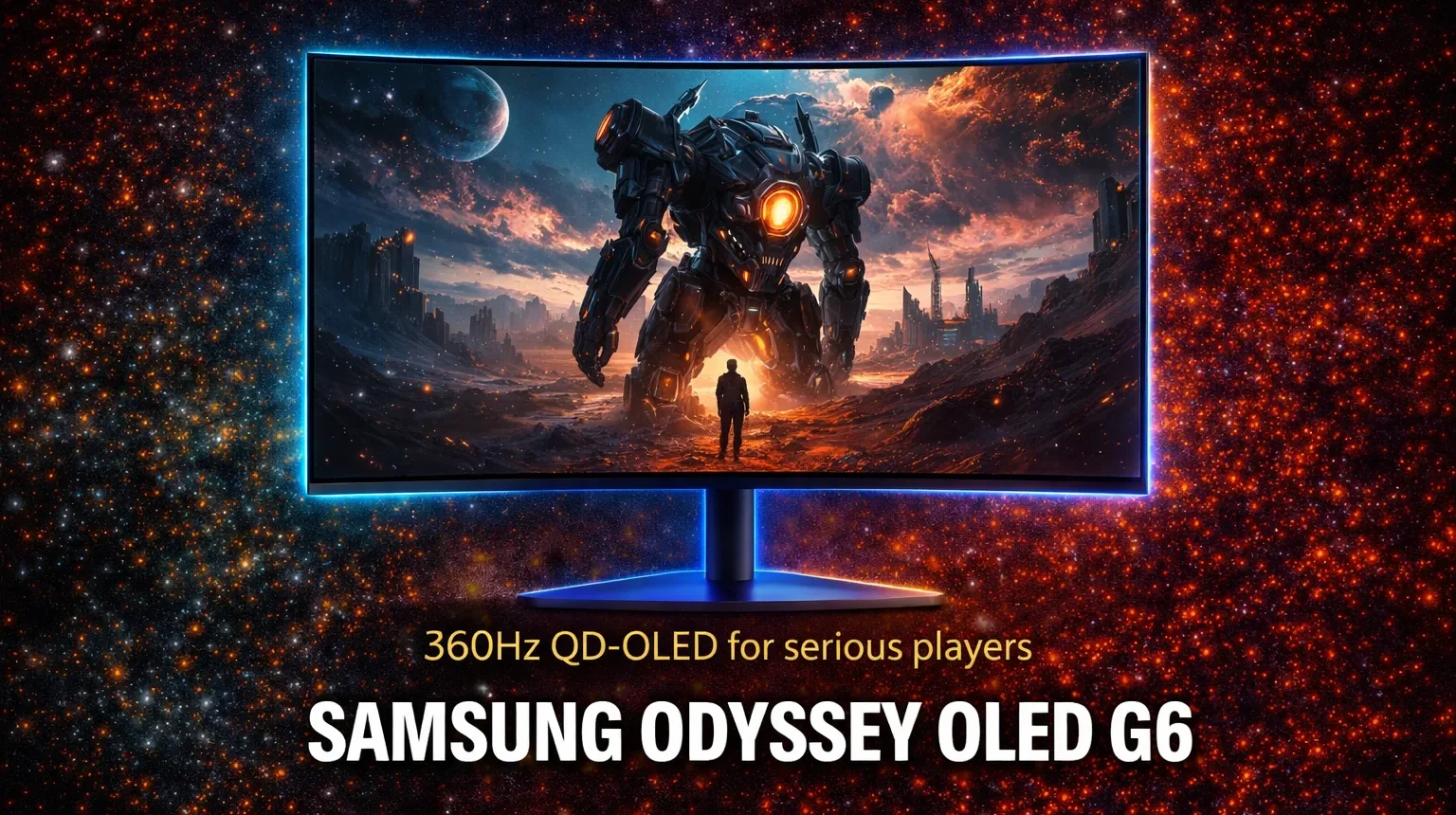
The G6 costs $700. It gives you a 27-inch QD-OLED panel, 360Hz, 0.03ms response time, and a matte coating nobody else offers at this spec. That is the pitch. Here is whether it holds up.
| Category | Details |
|---|---|
| Pros | Infinite contrast, 360Hz QD-OLED panel, matte anti-glare coating, excellent motion clarity, pulsating heat pipe burn-in protection, VRR up to 360Hz |
| Cons | Peak brightness below glossy rivals, HDR tone mapping underwhelms, no USB-C, limited productivity use |
| Verdict | BUY |
| Score | 8/10 |
Panel quality and brightness
Look, here is what you actually need to know about QD-OLED image quality: the contrast is not a spec, it is a visual reality. Every dark scene in every game looks categorically different from what an IPS panel produces. Blacks are off. Not dark gray off, actual off. That infinite contrast ratio the spec sheet lists is not marketing language, it is physics.
Color coverage is wide, pushing well into DCI-P3 territory the way all QD-OLED panels do. Reds and greens are vivid without being cartoonish at default settings. The G6 handles color accuracy better out of the box than most competitive monitors at this price, which matters if you do not want to spend an hour calibrating before your first session.
Brightness is where the G6 takes its first honest punch. Peak brightness on small HDR highlights comes in around 1,000 nits under the right conditions, but sustained full-screen brightness sits closer to 250 nits. Competing glossy QD-OLED panels from ASUS and MSI push closer to 300 nits sustained. The G6’s matte coating clips some brightness in exchange for reflection control, and that tradeoff is real. In a bright room it works in your favor. In a dark gaming environment you will not notice the difference.
Motion clarity at 360Hz
Real talk: 360Hz on an OLED panel is genuinely the best motion experience available in a 27-inch monitor right now without spending significantly more.
The combination of OLED’s instantaneous pixel response time and 360Hz refresh rate eliminates the two problems that plague fast LCD panels simultaneously. There is no ghosting because OLED pixels switch state without the liquid crystal delay. There is no blur because 360 frames per second leaves so little time between updates that your eye perceives the image as continuous. The result in a fast shooter or battle royale is enemy tracking at a level that feels qualitatively different from 240Hz, not just numerically higher.
Input lag measures around 4ms at 360Hz, which is imperceptible. VRR support runs through AMD FreeSync Premium Pro and NVIDIA G-Sync Compatible certification, so when your frame rate drops below 360 the panel adapts without tearing. No overdrive setting is needed because OLED pixels do not require pushing to hit their target response time. There is also no overshoot, which means no inverse ghosting regardless of frame rate.
The step from 240Hz to 360Hz is smaller than the step from 144Hz to 240Hz. That is the honest framing. If you are currently on 240Hz, you will notice the difference. If you are on 144Hz, the gap is large enough to feel it on day one.
HDR performance
Here’s the problem with HDR on the G6. The panel hardware is excellent. The tone mapping implementation is not.
Peak brightness on small highlights is genuinely impressive, producing the kind of specular pop on weapons and lighting effects that justifies the HDR label. Contrast in HDR is stunning because OLED infinite black levels give the format something LCD panels cannot match at any price. Watching a dark scene with single bright elements is a genuinely differant visual experience compared to any HDR IPS or VA panel.
The issue is how the G6 handles the transition between bright and dark elements in complex scenes. The tone mapping compresses the midrange in ways that reduce fine shadow detail. In games with dense, varied lighting such as open-world titles with dynamic weather, this produces a slightly flat look in the mid-brightness range even while the extremes perform well. It is a processing choice, not a panel limitation, and Samsung could address it in firmware. As of testing it remains a weakness.
HDR 10 is supported. Dolby Vision is not. For PC gaming this is rarely a practical limitation, but it is worth knowing before you buy.
Burn-in concern reality
Let’s be honest about what you’re paying for when Samsung ships a pulsating heat pipe in a monitor. It is an acknowledgment that burn-in on OLED panels at the gaming use case is a real concern, combined with a hardware-level response to it.
The G6 addresses burn-in through three mechanisms working together. The Dynamic Cooling System uses a heat pipe with coolant that evaporates and condenses to distribute heat across the panel, reducing temperature concentrations that accelerate pixel degradation. The Thermal Modulation System runs algorithms that track surface temperature and automatically reduce brightness when the panel runs hot. Logo and taskbar detection reduces brightness automaticaly on static interface elements that would otherwise cause uneven wear.
In practical use, burn-in on OLED gaming monitors requires sustained exposure to static high-brightness elements over hundreds of hours. A HUD element in the corner of the same game, every day, for a year of heavy play, represents the actual risk profile. The G6’s mitigation systems address the most likely causes. For most gaming use cases, burn-in is a long-term consideration rather than an immediate threat, and Samsung backs the panel with a three-year warranty that covers it.
If you run static productivity applications at high brightness for hours daily alongside gaming, the concern is more legitimate. For dedicated gaming use, it is manageable.
Vs QD-OLED alternatives
The G6’s main competition comes from the Dell Alienware AW2725DF, the MSI MAG 271QPX, and the ASUS ROG Swift PG27AQDP, all of which use the same 27-inch 1440p 360Hz QD-OLED panel underneath.
That’s not nothing. The panel itself is identical. What differs is the coating and the price. The G6 is the only version with a matte anti-glare coating. Every other option ships glossy. If you use your monitor near a window, in a room with overhead lighting, or in any environment where reflections are a factor, the G6’s coating advantage is real and persistent. The glossy alternatives look slightly more vivid in a controlled dark room because no coating costs zero brightness.
The G6 currently sits at $650 to $700 street price, making it the most affordable 1440p 360Hz QD-OLED monitor available. The Alienware and ASUS alternatives run $50 to $100 more for similar or identical panel performance with a different coating preference.
Bottom line: buy the G6 if matte matters to you or you want the lowest entry price into this panel tier. Buy a glossy alternative if you game in a controlled dark environment and want the maximum brightness ceiling. The panel does not decide this purchase. The coating and the price do.












Join the Discussion