
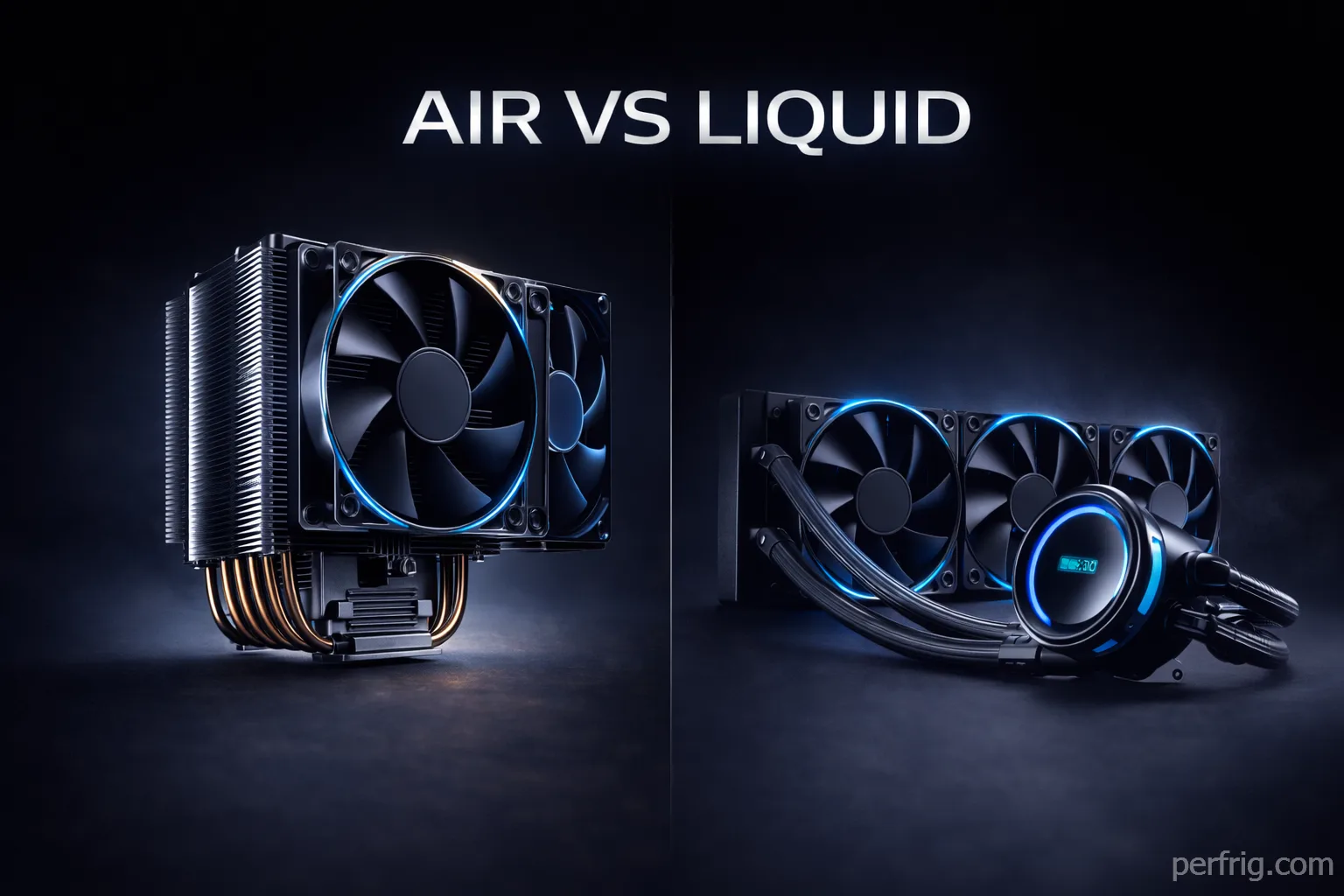
CPU cooling determines whether your processor runs at advertised boost clocks or throttles under load. Modern CPUs like Intel’s Core i9-14900K and AMD’s Ryzen 9 9950X3D push 250W+ under sustained workloads, Our 14900K review details its extreme power consumption and why premium cooling is essential for this chip. generating heat that stock coolers can’t handle. Inadequate cooling doesn’t just raise temperatures—it reduces performance as thermal throttling kicks in to protect the CPU from damage.
The cooling market splits between tower air coolers using large heatsinks and fans, and all-in-one (AIO) liquid coolers with pumps and radiators. Both approaches work, but each excels in different scenarios. Air coolers offer simplicity and reliability without pump failure risks. Liquid coolers handle extreme heat loads better and fit compact cases where tall tower coolers won’t clear side panels.

After reviewing thermal testing data from multiple sources and examining real-world performance across budget tiers, the optimal choice depends on your CPU’s power draw, case dimensions, and tolerance for pump hum versus fan noise.
Air cooling vs liquid cooling: the fundamental tradeoff
Tower air coolers use copper heatpipes to transfer CPU heat to aluminum fin stacks. Fans blow air through these fins, dissipating heat into your case’s airflow path. The entire cooling process happens passively through heatpipes—no moving parts except fans, which are replaceable if they fail.
AIO liquid coolers pump coolant through a cold plate mounted on your CPU. This coolant absorbs heat and carries it to a radiator mounted elsewhere in your case, where fans cool the liquid before it cycles back. The pump adds another component that can fail, but liquid’s superior thermal conductivity moves heat away from the CPU more efficiently than metal heatpipes.
Testing shows high-end air coolers like the Noctua NH-D15 G2 handle 240-280W without throttling in well-ventilated cases. Dual-tower designs typically run within 5-8°C of 240mm AIOs when noise levels are matched. The performance gap widens above 300W, where 360mm AIOs run 10-15°C cooler on extreme CPUs during prolonged rendering or encoding workloads.
For gaming specifically, the difference matters less than benchmarks suggest. Most gaming sessions don’t sustain maximum CPU loads for hours. A quality air cooler maintains boost clocks during typical gaming scenarios where load fluctuates. Liquid cooling’s advantage appears during sustained productivity workloads—video encoding, 3D rendering, compilation—where the CPU runs at maximum power continuously.
TDP ratings and cooler capacity
Thermal Design Power (TDP) ratings confuse buyers because Intel and AMD measure them differently. Intel’s i9-14900K has 125W base TDP but draws 253W at maximum turbo. AMD’s Ryzen 9 9950X3D specifies 120W TDP while pulling 200W+ under all-core loads. The 9800X3D maintains more reasonable thermals than the 9950X3D, as detailed in our review of AMD’s gaming champion.
Match coolers to actual sustained power consumption, not base TDP. The Noctua NH-D15 G2, rated for 250W+, successfully cools AMD’s 9950X3D at 276W heat loads without throttling—the only air cooler achieving this.
Budget 120mm AIOs or tower coolers rated under 150W suit CPUs like Ryzen 5 7600 or Core i5-13400. Mid-range options handling 180-220W work for Ryzen 7 and Core i7 chips. High-end coolers rated 250W+ are necessary for i9/Ryzen 9 processors, especially when overclocking.

Best budget CPU coolers: under $60
Budget cooling focuses on adequate thermal performance without premium features. At this price point, air coolers generally deliver better value than small 120mm AIOs, which add pump complexity without meaningful performance gains over tower designs.
Thermalright Phantom Spirit 120 SE ($35-45) offers exceptional value, matching some 240mm AIOs in thermal performance while costing half the price. Testing shows it handling Intel’s i9-14900K at 74°C average during heavy multithreaded workloads—impressive for its price bracket. The dual-tower design with two 120mm fans provides 220W+ cooling capactiy suitable for most gaming CPUs.
Installation requires attention to RAM clearance, as the cooler’s width can interfere with tall memory modules. The all-black aesthetic lacks RGB but maintains clean looks. The included mounting hardware supports Intel LGA1700/1200 and AMD AM4/AM5 sockets without requiring separate brackets.
Cooler Master MasterLiquid Core II 240 ($55) represents the budget AIO option, offering liquid cooling’s aesthetic advantages at accessible pricing. The 240mm radiator handles mid-range CPUs adequately but struggles with high-end processors under sustained load. Pump noise remains noticeable but not obtrusive during normal operation.
This cooler makes sense for compact cases where tower coolers won’t fit, or builds prioritizing the cleaner look of liquid cooling over absolute thermal performance. The minimalist pump block lacks RGB or displays, keeping costs down while delivering functional cooling for CPUs up to 150W continuous draw.

Best mid-range CPU coolers: $80-$150
Mid-range cooling balances performance, features, and price. This bracket includes premium air coolers capable of handling high-end CPUs and 280-360mm AIOs offering enthusiast-grade thermal capacity with quieter operation than budget options.
Noctua NH-D15 G2 ($150) dominates air cooling performance, successfully handling even AMD’s dual-CCD 9950X3D at 276W without throttling—a feat no other air cooler achieves. The redesigned dual-tower heatsink with refined 140mm fans delivers noise-normalized thermal performance matching many 280mm AIOs.
The cooler’s 165mm height and 150mm width create clearance concerns in smaller cases. The low base convexity (LBC) model optimizes contact pressure for AMD’s slightly convex IHS design, showing measurable temperature improvements over the standard base version. Noctua includes offset mounting brackets and chromax covers for aesthetic customization.
Price remains the primary criticism—at $150, it costs more than many 360mm AIOs. Competitors like the Thermalright models perform within 2-3°C while costing $100 less. You’re paying for Noctua’s legendary build quality, 6-year warranty, and guaranteed long-term availability of mounting brackets for future platforms.
Arctic Liquid Freezer III 360 ($85-100) offers extraordinary value in liquid cooling, matching or exceeding coolers costing twice as much. Testing consistently shows it outperforming competitors in noise-normalized scenarios, maintaining lower temperatures with less fan noise. The integrated VRM fan on the CPU block provides secondary cooling for motherboard components.
The radiator measures 63mm thick including fans—significantly chunkier than standard 54mm designs. This extra thickness improves thermal performance but creates case compatibility issues. Verify your case supports radiators beyond 60mm before purchasing. The pump operates quietly, and the 6-year warranty exceeds most competitors offering 3-5 years.
be quiet! Dark Loop 2 280 ($140) targets users prioritizing silence over maximum performance. The refined pump design and carefully tuned fans achieve whisper-quiet operation even under load. Thermal capacity around 280W suits most CPUs, though extreme chips like the 14900K benefit from the additional headroom of 360mm models.
Uniquely, this AIO features a refillable coolant loop—rare among sealed all-in-one coolers. This extends lifespan beyond the typical 3-5 years as coolant evaporation won’t degrade performance. The minimalist all-black design lacks RGB, appealing to builders avoiding rainbow lighting.

Best high-end CPU coolers: $150+
Premium cooling combines maximum thermal capacity with features like LCD screens, advanced RGB synchronization, and refined aesthetics. These coolers target showcase builds or extreme CPUs where headroom for overclocking justifies the cost.
ASUS ROG Strix LC III 360 ARGB LCD ($180-200) integrates a 2.1-inch LCD display showing system stats, custom images, or animated GIFs. The display size exceeds competitors like NZXT’s Kraken, providing better visibility and higher resolution. Thermal performance matches other premium 360mm AIOs, handling 300W+ CPUs without throttling.
The Armory Crate software enables extensive customization but adds bloatware concerns for users preferring minimal background processes. Build quality justifies the premium pricing with reinforced tubing, a robust pump assembly, and quality fans running quietly at reasonable speeds.
Corsair Nautilus 360 RS ($200+) pursues silence as the primary goal, achieving whisper-quiet operation even during sustained heavy loads. Specialized fans and sound-dampening materials on the radiator reduce noise to levels barely audible in a quiet room. Thermal performance remains competitive with other high-end 360mm units.
The stealth aesthetic lacks RGB entirely, featuring an all-black design with minimal branding. This cooler suits professional workstations or builds where noise during video calls or recording matters more than enthusiast lighting effects.
Common cooler mistakes
Mounting pressure causes many thermal issues. Overtightening damages components while insufficient pressure leaves gaps. Follow manufacturer instructions precisely—modern mounting systems use spring-loaded screws preventing overtightening.
AIO radiator placement affects performance. Top-mounting as exhaust keeps GPU thermals optimal but expels CPU heat before case fans recirculate it. Front-mounting as intake pre-warms air, raising GPU temperatures 5-8°C. Prioritize cooling for your more thermally-constrained component.

Thermal paste application causes unnecessary anxiety. A pea-sized dot in the CPU center spreads adequately under mounting pressure. Avoid spreading paste manually as this traps air bubbles.
Budget cooler selection often ignores long-term costs. A $30 cooler failing after two years costs more than a $50 model lasting five years. Premium air coolers offer free mounting brackets for future platforms. Cheap AIOs with 2-year warranties require replacement when pumps fail.
Case compatibility and clearance
Tower air coolers require vertical clearance and RAM compatibility checks. Coolers exceeding 160mm height won’t fit many mid-tower cases. Dual-tower designs extending over RAM slots interfere with tall memory modules featuring RGB shrouds.
AIO radiator fitment depends on mounting location. Most cases support 240mm radiators in top or front positions, while 360mm units might only fit in the front. Check case specifications for radiator support by position.
Tube length affects mounting flexibility. Most AIOs include 400mm+ tubes adequate for standard configurations, but extremely tall cases might require longer tubes.
The bottom line
CPU cooler selection depends on your specific CPU, case, and priorities. For most gaming builds with mainstream CPUs (Ryzen 5/7, Core i5/i7), quality tower air coolers like the Thermalright Phantom Spirit deliver excellent performance at minimal cost. They’re maintenance-free, reliable long-term, and adequate for CPUs sustaining 180W or less.
High-end processors (i9-14900K, Ryzen 9 9950X3D) benefit from 280-360mm AIOs providing thermal headroom for sustained boost clocks during productivity workloads. The Arctic Liquid Freezer III offers exceptional value here, matching premium coolers at half the cost while including a 6-year warranty.
Compact builds where tower coolers won’t fit justify AIOs despite higher costs and pump failure risks. Small form factor cases often accommodate 240mm radiators but not tall air coolers, making liquid cooling the only viable option for adequate thermal performance.
Skip 120mm AIOs entirely—they cost more than tower coolers while delivering worse thermals and adding pump complexity. Budget builds should use tower air coolers; small cases needing AIOs should start at 240mm minimum.
Prioritize proven models with strong warranty coverage over flashy features. A reliable cooler maintaining safe temperatures for 5+ years provides better value than a feature-rich unit failing after warranty expiration. Focus on thermal performance first, aesthetics second.











Join the Discussion