
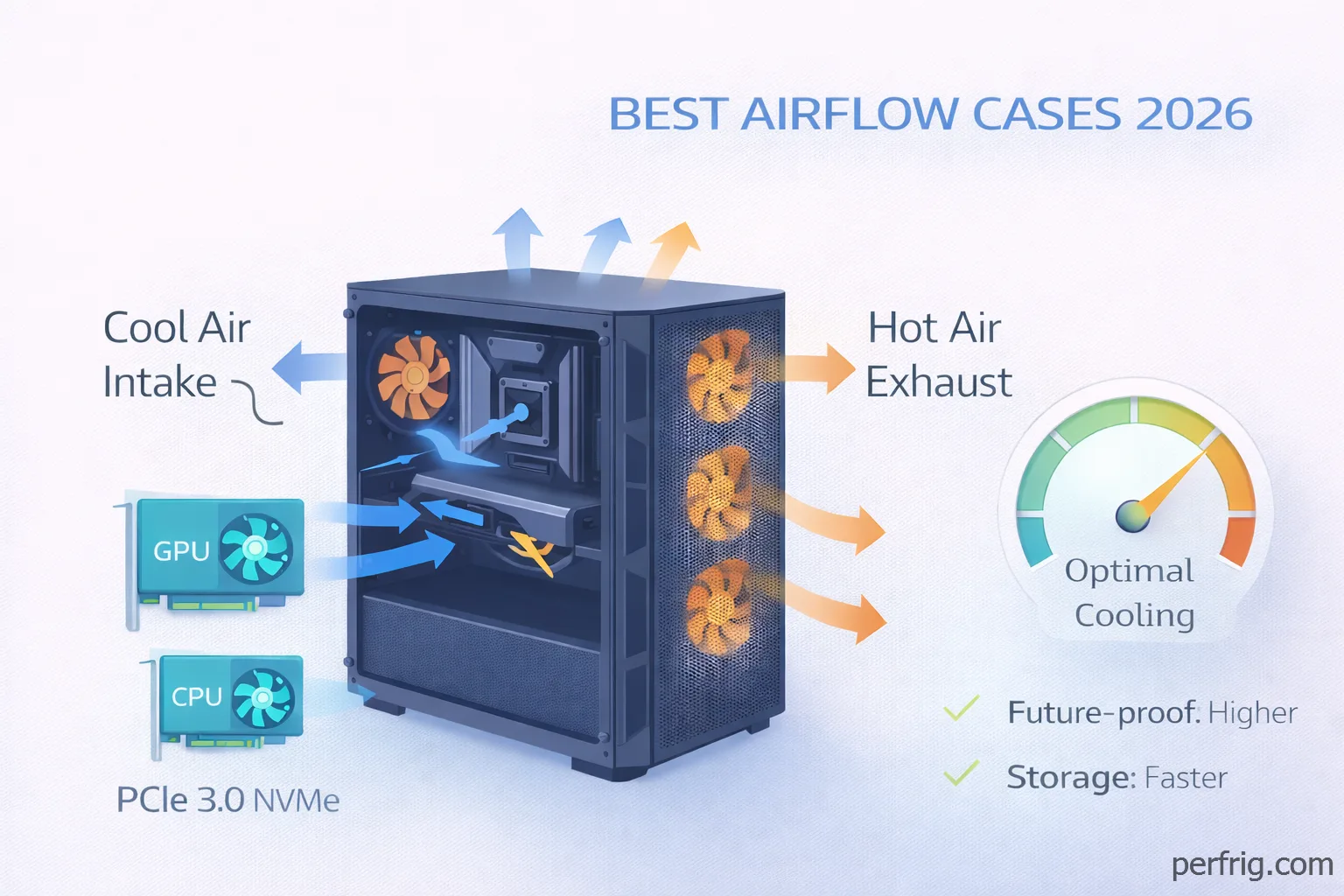
Here’s the thing about PC cases—basically, airflow matters more in 2026 than ever before. Modern GPUs and CPUs generate massive heat, and honestly a case with poor ventilation will throttle your performance no matter how expensive your components are. Let’s break down which cases actually keep your system cool without breaking the bank.
Why airflow matters now
RTX 50 series cards and high-end CPUs like the Ryzen 9800X3D generate way more heat than previous generations. When your GPU hits 85°C+ it starts thermal throttling which means lower boost clocks and lost FPS. Good airflow keeps components in their optimal temperature range where they can maintain maximum performance.
The difference is genuinly measurable. Testing shows that switching from a restrictive glass-front case to a mesh design can drop GPU temps by 10-15°C under load. That translates to sustained boost clocks and better frame consistency in demanding games.
Mesh versus glass: the tradeoff
Every case makes this compromise somewhere. Full glass panels look premium and showcase your RGB lighting, but they block airflow. Mesh panels maximize cooling but show less of your components.
The sweet spot is mesh front with glass side panel. You get airflow where it matters—the intake—while still displaying your build through the side window. Cases that put glass on the front prioritize aesthetics over function which is fine if you’re running modest hardware but problematic for high-end builds.
Budget tier: under $100
Lian Li Lancool 207 sits around $80 and punches way above its price. It comes with four fans including two that blow directly on your GPU which is genuinly clever. The mesh front panel is extensive and the sideways PSU mount improves cable management. The only limitation is 160mm PSU length maximum and no support for rear-connector motherboards.
NZXT H5 Flow costs roughly $75-85 depending on sales. The perforated PSU shroud helps GPU temps significantly—testing shows 5-6°C improvements over cases without this feature. It includes two 120mm fans which is basic but functional. You’ll want to add more fans eventually but it works fine out of the box.
Fractal Pop Air is the budget champion at around $70-80. Three included fans and a high-flow mesh front deliver surprising cooling for the price. Fractal’s build quality exceeds expectations even in their budget line. It’s not fancy but it gets the fundamentals right.
Mid-range: $100-$180
Fractal Meshify 3 RGB dropped from $220 at launch to $105-110 now which makes it incredible value. The angular mesh front is distinctive and breathable. At this new price it’s honestly the best value in PC cases period.
The Ambience Pro RGB version costs $130-144 and adds RGB strips that look way better than typical fan RGB.
Corsair 4000D Airflow sits at $95-110 and represents the conventional mid-tower done right. Clean design, solid build quality, mesh front that breathes well. Cable management is straightforward with clearance for large components.
NZXT H7 Flow costs $120-150. Bottom GPU fan mounts blow cool air directly at your graphics card. Comes with four fans including two 140mm ARGB units up front with infinity mirror lighting.
Premium tier: $180-$300
Lian Li Lancool 217 runs $150-180 with five included fans and two massive 170mm units in front. The wood accent looks better in person than photos. Balances aesthetics and function well.
HAVN BF 360 costs around $190 with engineered airflow features including a curved bottom ramp. Every detail feels considered. Genuinly innovative rather than just adding RGB.
What to look for
Fan mounts: At least three 120mm or two 140mm mounts up front plus rear and top exhaust. Bottom GPU mounts help graphics card cooling.
Mesh quality: Ultra-fine mesh filters dust better, coarser mesh breathes better. The difference is 1-2°C so don’t obsess.
Clearances: Check GPU length (need 320-350mm), CPU cooler height (165mm+ for towers), and PSU length limits.
Cable management: PSU shrouds hide cables. Rear routing channels and tie-down points make builds cleaner.
Size considerations
ATX mid-towers fit most builds and offer good airflow without taking excessive desk space. Full towers provide more room but most people don’t need them unless running custom water cooling or extreme hardware.
Micro-ATX and Mini-ITX cases can have good airflow but require more careful component selection. Compact doesn’t automatically mean bad cooling but it’s harder to achieve.
Common mistakes
Don’t buy based on looks alone. A beautiful case with restricted airflow will thermal throttle your expensive components. Prioritize function first then find the best-looking option within that constraint.
Don’t skimp on fans. Many cases include minimal fans to hit price points. Budget $20-50 for additional quality fans. The performance improvement justifies the cost.
Don’t forget dust filters. Cases without filtered intakes require frequent cleaning. Removable magnetic filters make maintenance way easier.
The glass tradeoff
If you really want a glass-front case accept that you’re prioritizing aesthetics over thermals. Make sure you have excellent exhaust fans and maybe use an AIO liquid cooler for the CPU since air cooling depends more on case airflow.
Some people prefer the clean look of glass and are willing to accept slightly higher temps. That’s fine as long as you understand the tradeoff you’re making.
Bottom line
For most gaming builds in 2026 get a mesh-front case with a glass side panel. The Fractal Meshify 3 RGB at $105-110 is the obvious choice for value. If you want premium materials and features the Lian Li Lancool 217 at $150-180 delivers without wasteful spending.
Budget builders should grab the Fractal Pop Air or NZXT H5 Flow and add more fans later. Both provide solid foundations for under $85.
The goal is keeping your GPU under 80°C and CPU under 75°C during gaming. If your case achieves that while fitting your components and looking acceptable you’ve made the right choice. Airflow isn’t exciting but it’s foundational to everything else working properly.












Join the Discussion