
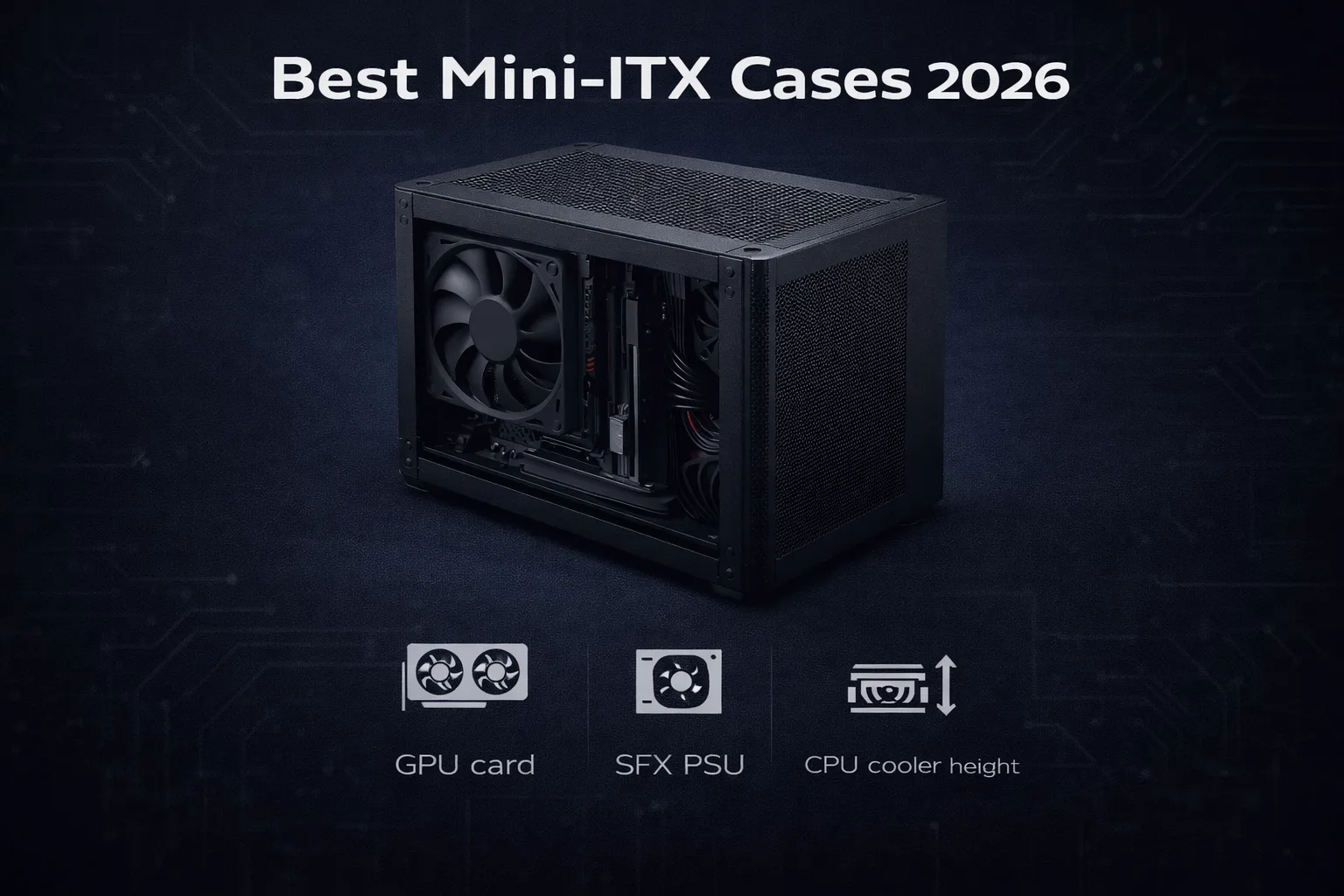
Small form factor builds have never been more capable. Here is how to pick the right case without making the mistakes that cost people weeks of frustration.
If you are searching for the best mini-ITX cases 2026 has to offer, the market has genuinely improved. Cases that once forced painful tradeoffs between airflow and GPU clearance now handle both. That said, the wrong choice still derails a build before it starts. This guide covers what actually matters, which cases hold up, and where your money goes at each price tier.
Why small form factor is worth it
The practical argument is simple. A well-chosen ITX build matches mid-tower gaming performance in a fraction of the desk footprint. Under 15 liters of volume. Current RTX 50 series GPUs and Zen 5 CPUs fit inside.
The less obvious argument is what the format forces you to do: plan. ITX cases do not forgive afterthought purchases. The GPU that is 5mm over spec does not fit. The CPU cooler that clears the side panel by 2mm on paper fails in practice after you add the fan clip. That planning discipline consistently produces cleaner, more intentional builds than mid-towers where you sort problems out later.
For living room setups, LAN portability, or any workspace where desk space is limited, small form factor is genuinly the right answer in 2026. The performance ceiling now matches what the format demands.
Airflow challenges you need to understand
Airflow in a mini-ITX case is not just a scaled-down version of a mid-tower. Less interior volume means hot air from the GPU has significantly less space to dissipate before it recirculates toward the CPU cooler. This is the failure mode that catches most first-time ITX builders off guard.
The cases that solve this problem share one characteristic: a defined airflow direction. Mesh intake panels on one side, solid exhaust on the other. The Cooler Master NR200 handles this through its quasi-filter mesh design with high-density precision holes across the side panels. Air enters from the sides, moves across the GPU and CPU, exits from the top or rear. Under sustained gaming load, temperatures stay within acceptable ranges.
Here’s where it gets interesting. PSU compatibility compounds the airflow question. Standard ATX power supplies are not compatable with most quality mini-ITX cases. SFX or SFX-L units are required, and they cost more than ATX equivalents. Budget for this before you price the build.
Top picks by budget
Budget tier (under $100): The Cooler Master NR200 is the most-recommended ITX case in this price bracket for good reason. At $80 to $90, it supports GPUs up to 330mm, CPU coolers up to 155mm tall, and a 280mm AIO with layout reconfiguration. Tool-less side panels make the build process significantly less painful than comparable options. For most builders, this is the sweet spot between price, airflow, and GPU clearance.
Mid-range ($100 to $150): The Lian Li Q58 at around $130 adds real material quality. Aluminum front and top panels alongside a flexible interior that accommodates either SFX or ATX power supplies depending on configuration. The side panel combination of tempered glass and perforated steel gives you component visibility without fully sacrificing airflow. Worth the step up if you care about aesthetics alongside performance.
Premium ($200 and above): The Fractal Design Terra operates in a different category. Aluminum chassis, wood panel accents, multiple colorways. At 10.4 liters it is genuinely compact, and the adjustable internal spine plus flip-up doors make building inside it more manageable than the volume suggests. The constraint is cooling headroom: CPU cooler height clearance is tight, and the single 120mm fan position limits high-TDP processor pairings. A Ryzen 5 or mid-range GPU represents the practical ceiling. For the right build, though, nothing else on a desk looks like it.
Compatibility with modern GPUs
The RTX 5090 and RTX 5080 have changed the conversation. Three-slot coolers from most AIB partners, and some designs exceed 340mm in length. Not every mini-ITX case accommodates them.
I’ve seen people regret skipping this check every time it comes up. Verify GPU length, slot count, and whether the case requires a PCIe riser cable before buying anything. Many ITX cases mount the GPU via riser cable rather than directly into the motherboard slot. This is electrically fine but adds $20 to $30 if the case does not include one. The Fractal Design Terra includes a PCIe 4.0 riser cable in the box, which is a meaningful cost offset on a build that already requires SFX-L expenditure.
For RTX 5090 builds specifically, the NR200P V3 handles it. GPU clearance up to 336mm, three-slot support with adequate breathing room, around $100. At that budget it remains accessible even when the GPU costs $2000.
Build tips that save you real time
Plan your component order before touching the case. GPU first. Verify exact dimensions against the case spec sheet, not the box art or marketing page. Confirm slot clearance separately from length. Then buy. Doing this in reverse order is how people return cases.
SFX power supply selection matters more than most guides acknowledge. Low-quality SFX units introduce coil whine, run less efficently, and fail sooner than their ATX equivalents at similar price points. Seasonic and be quiet! are the reliable names here. The extra cost over a budget SFX unit pays back quickly.
Modular cables are not optional in an ITX case. Install only the cables you need, route everything before the final component goes in, and the result is a build that took discipline rather than luck. Non-modular cabling in a 15-liter enclosure produces the kind of airflow compromise that shows up in temperatures over time.
Test-fit the CPU cooler before applying thermal paste. The spec sheet gives one number, your cooler’s manual gives another, and after the fan clip goes on, the side panel may not close. This costs 20 minutes to check and hours to undo if you skip it.
Small form factor rewards patience at every step. The result is usually a system you genuinely want to look at on your desk, which matters more than most hardware decisions you will make.













Join the Discussion