
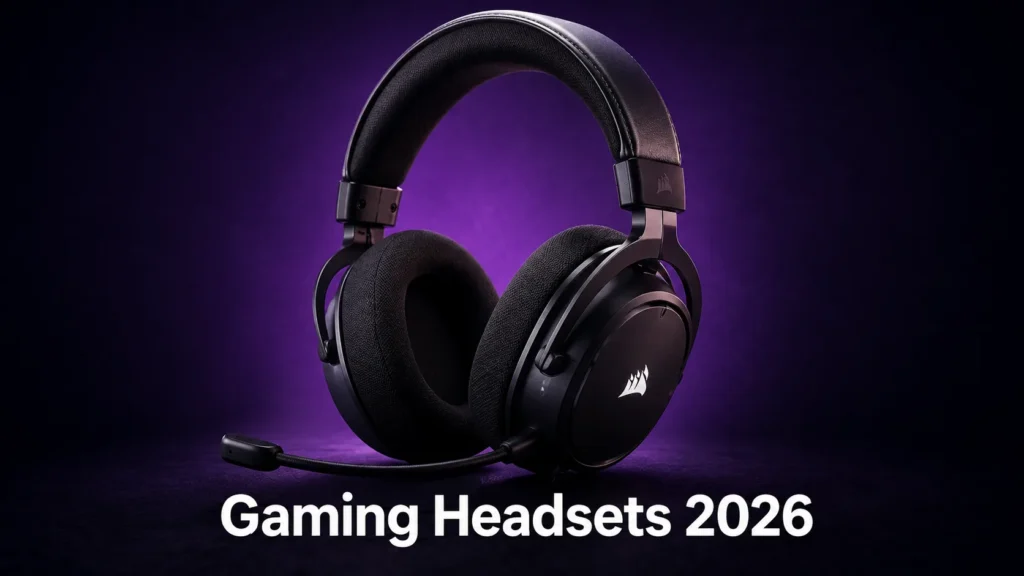

The best gaming headsets 2026 has to offer look very different from what the market offered two years ago. Wireless latency has dropped to the point where it’s practicaly a non-issue in most tiers. Budget options now ship with decent drivers. And the surround sound conversation has finally matured enough to have an honest answer. This guide covers every tier from under $60 to above $150, with a real take on what you actually feel across a session.
The specs that actually matter in a gaming headset
In practice, what you’ll actually notice is how a headset sits after two hours, not what the frequency response curve looks like on paper. Driver size, impedance, and sensitivity all appear on spec sheets, but the number that matters most in a real session is comfort over time. A 50mm driver in a poorly padded headset will fatigue you faster than a 40mm driver in something well-engineered.
The two specs worth paying attention to are driver size and wireless connection type. Larger drivers (40mm and above) generally handle low-frequency reproduction better, which matters for positional audio in games with environmental sound design. Wireless connection type determines latency, which matters far more for competitive gaming than it does for story-driven single-player sessions.
Frequency response ranges are almost universally marketed dishonestly. A 20Hz to 20,000Hz claim tells you nothing useful because the real question is how flat that response is across that range, and manufacturers rarely publish that data honestly at any price point. Day to day, this matters more than the spec sheet suggests: trust session reviews over spec comparisons.
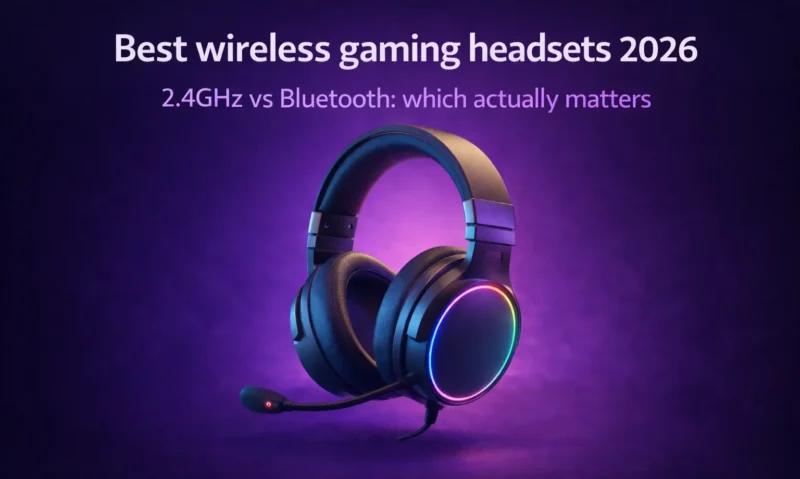
2.4GHz wireless vs Bluetooth vs wired: which connection to choose
Wired is still the lowest-latency option at every tier. If you play competitive games at high level and every millisecond counts, a good wired headset at $50 to $80 will serve you better than a wireless option at twice the price. The cable is the trade-off, and it’s a real one across long sessions.
2.4GHz wireless is the standard for serious gaming wireless. The latency sits at 2ms to 10ms depending on the headset, which is imperceptible in practice for any genre except perhaps rhythm games at the highest precision levels. For competitive players, this changes things significantly compared to Bluetooth: 2.4GHz maintains stable low latency, while Bluetooth can drift and spike in environments with interference.
Near-wired latency, stable connection, no Bluetooth interference
Requires USB dongle, won’t pair with phones or consoles without adapter
Universal compatibility, no dongle needed
Higher and less stable latency, not recommended for competitive gaming
Bluetooth makes sense for one specific use case: you move between your gaming setup and your phone or other devices regularly, and you want one headset that works across all of them without switching connections. If that’s your situation, a dual-connection headset that supports both 2.4GHz and Bluetooth is the right answer, and there are now solid options at $100 to $130 that handle both properly.
Best headsets under $60: what the budget tier delivers now
The budget tier has genuinely improved. Two years ago, the under-$60 category meant accepting noticeable audio quality compromises, poor microphone clarity, and headsets that felt cheaply built after a month of use. That’s no longer universally true.
The SteelSeries Arctis Nova 1 at $49 is the current recommendation at this price. It’s a wired headset with a clear, decent microphone, good driver performance for the tier, and comfortable ear cups that hold up across a long session without becoming uncomfortably warm. I know this sounds minor, it isn’t: ear cup material and clamping force matter enormously across a four-hour session, and the Nova 1 gets both right at a price where most headsets don’t bother.
The alternative at this tier worth considering is the HyperX Cloud Stinger 2 at $39. It’s lighter, which some players strongly prefer. The audio quality is slightly below the Nova 1 but the comfort advantage of a lighter headset over a long session is something you’ll notice more than the audio difference.
Best headsets $60 to $150: the feature-complete middle ground
This is where the best gaming headsets 2026 category starts becoming genuinely interesting. At this tier you can access proper 2.4GHz wireless, significantly better driver quality, and microphone clarity that holds up for streaming or voice chat without post-processing.
The SteelSeries Arctis Nova 7 at $129 is the recommendation here for most players. The 2.4GHz connection is solid, the microphone performs well above its price, and the ear cushions are the best in this tier for long sessions. After a few hours, you start to notice the difference between a headset that was designed with session length in mind and one that wasn’t. The Nova 7 falls into the first category.
If you primarily play single-player story games or content with rich spatial audio, the Astro A30 at $99 is worth serious consideration. Its soundstage is wider than the Nova 7, which means environmental audio and directional cues feel more naturally placed. For competitive gaming where precise positional accuracy matters more than soundstage width, the Nova 7 edges ahead.
I ran the Nova 7 as a daily driver across three weeks of varied gaming: competitive shooters, an open-world RPG, and several long strategy sessions. The comfort held up without reservation across all of them. The microphone clarity in voice chat was good enough that nobody asked me to adjust it once.
Best headsets $150 and above: when the premium is earned
The feel of it is hard to describe, but I’ll try. Above $150, the improvement isn’t in a single dramatic spec jump. It’s in the combination of driver quality, build construction, wireless stability, and microphone performance all reaching a level where none of them is the limiting factor. You stop noticing the headset and start just hearing the game.
The SteelSeries Arctis Nova Pro Wireless at $249 is the benchmark at this tier. Dual wireless (2.4GHz and Bluetooth), a replaceable battery system, ANC for the microphone, and driver quality that delivers genuinely wide soundstage in games designed for it. It’s the headset you buy when you’re done thinking about headsets for a few years.
The Audeze Maxwell at $299 is the alternative for players who specifically prioritize audio fidelity above everything else. Planar magnetic drivers at this price deliver something different in audio quality terms, and if you split your time equally between gaming and music listening, the Maxwell earns the premium. For pure gaming, the Nova Pro Wireless is the more practical answer.
For our full breakdown of the wireless options at this tier and below, our best wireless gaming headsets guide covers the 2.4GHz landscape in depth with specific latency and range testing across environments.
Surround sound and spatial audio: real advantage or marketing
This is the section that most headset guides get wrong. Virtual surround sound, processed from a stereo driver pair through software, does not improve positional audio accuracy in most competitive games. The research is fairly clear and the practical experience matches it: trained players using good stereo headsets locate sounds as accurately as players using virtual surround in the vast majority of game audio engines.
Where spatial audio processing genuinely helps is in games with cinematic, layered environmental sound design. Dolby Atmos or DTS Headphone:X in a game specifically mixed for spatial audio can produce a diferent and more immersive listening experience in single-player games. It’s a real effect in the right context.
For competitive gaming: disable virtual surround. Use stereo. The software processing introduces phase artifacts that reduce rather than improve positional accuracy in most game engines. For single-player immersive games with cinematic audio design: enable spatial audio and evaluate whether your specific game benefits from it.
The best gaming desk setup also plays a role here that most guides ignore. If you’re gaming in a noisy environment, even the best headset’s audio quality is compromised if you’re fighting background noise. Closed-back headsets handle this better than open-back options, which is why the recommendations above are all closed-back designs despite open-back headsets often measuring better in controlled conditions.







Join the Discussion