

This GPU upgrade guide exists because “should I upgrade my GPU” is one of the most common questions in PC building right now, and most answers online don’t actually help you decide anything. They list new cards. They post benchmarks. They rarely tell you whether your specific situation justifies spending the money. This guide does. By the end of it you’ll know whether your GPU is the actual bottleneck, what the realistic upgrade paths look like from your current card, and whether this is the right moment to pull the trigger or wait.
Signs your GPU is genuinely the bottleneck right now
For most builders, the first sign is simple: your CPU usage stays well below 100% while your GPU usage sits at or near 100% in the games you care about. That’s the clearest indicator that the GPU is the limiting factor. If both are near 100%, you’ve got a balanced system. If the CPU is pegged and the GPU has headroom, the GPU isn’t your problem.
The second sign is resolution-dependent performance. A GPU bottleneck gets worse as you increase resolution. If dropping from 1440p to 1080p gives you a significant FPS boost, that’s the GPU at work. If the FPS stays roughly the same regardless of resolution, the CPU is the more likely constraint.
Open MSI Afterburner with an overlay during a demanding game. GPU usage consistently above 95% while CPU usage is below 80%: your GPU is the bottleneck. This is when a GPU upgrade guide becomes relevant for your situation.
Frame rate consistency matters as much as average FPS. A GPU that’s bottlenecking will often show smooth-looking average frame rates but with visible micro-stutters and low 1% frames. If your game feels worse than the number on screen suggests, GPU frame time consistency is worth investigating before you assume the card is simply too slow.
How to verify it is the GPU and not the CPU holding you back
Here’s where it gets interesting. The GPU bottleneck check above is a starting point, but it can mislead you in CPU-limited games. Some titles are heavily single-threaded and will max out one CPU core while the GPU sits at 70% utilization. In those cases, the GPU has headroom and you’d gain nothing from upgrading it.
The reliable test is to drop your resolution and in-game graphics settings significantly. Lower resolution means the GPU has to do far less work per frame. If your FPS jumps substantially when you drop from native to 1080p on a 1440p screen, the GPU was the bottleneck. If the FPS barely moves, the CPU was constraining the output regardless of GPU load.
FPS increases significantly when dropping resolution or settings
GPU usage near 100%, CPU has headroom
FPS stays similar regardless of resolution or settings
CPU core usage maxed, GPU has spare capacity
Our guide to CPU bottlenecks covers how to detect and fix CPU-side limitations in detail, including which specific games are most likely to be CPU-bound in 2026 and what to do when the CPU is the constraint rather than the GPU.
Generational jumps: when the performance gain is worth the cost
The right choice depends on one thing: how large is the performance gap between your current card and the target upgrade, and does that gap justify the price difference after accounting for what you’d get from selling your current card.
A general rule that holds up across most upgrade scenarios: you need at least a 40% performance improvement over your current card at your target resolution for an upgrade to feel meaningfully different in day-to-day gaming. Below that threshold, the real-world difference is noticeable mainly in benchmarks rather than sessions.
Generational jumps that clear that threshold in 2026: moving from an RTX 3070 to an RTX 5070 at 1440p delivers well above 40%. Moving from an RTX 3080 to an RTX 5070 is closer and worth calculating specifically for your use case. Moving from an RTX 3070 Ti to an RTX 5070 Ti is a substantial jump that most users in that position would feel clearly.
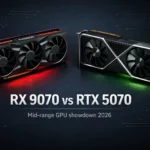
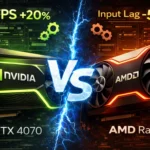
The cards where the upgrade math gets harder are the recent-generation mid-range cards. An RTX 4070 Super owner has a genuinely difficult decision right now because the RTX 5070 at $549 delivers around 20% native improvement plus DLSS 4 MFG access. That’s a real improvement, but it’s not a transformative one at 1440p. For a full head-to-head breakdown of the mid-range options available right now, our AMD RX 9070 vs RTX 5070 comparison covers the value case in detail.
Upgrade paths from RTX 30 series, RX 6000, and older cards
If you’re on an RTX 30 series card and gaming at 1440p, the upgrade case is strong in 2026. The RTX 5070 at $549 and the RX 9070 at $449 both represent genuine generational leaps from RTX 3070 or RX 6700 XT level hardware. The performance gap is wide enough that the upgrade pays for itself in extended session quality.
RTX 30 series upgrade paths in this GPU upgrade guide:
- RTX 3060 Ti: move to RX 9070 for 1440p, or RX 7700 XT for 1080p high-refresh
- RTX 3070: RX 9070 at $449 is the clearest value upgrade at 1440p
- RTX 3080: RTX 5080 for 4K, RX 9070 XT if DLSS is not a priority
- RX 6700 XT: RX 9070 is a direct generational upgrade on the same platform
- RX 6800 XT: RX 9070 XT or RTX 5070 depending on ecosystem preference
For AMD RX 6000 series owners, the RX 9070 and RX 9070 XT represent the strongest direct upgrade paths. RDNA 4 is a meaningful architectural jump from RDNA 2, and FSR 4 on the new hardware is a genuinely better upscaling experience than FSR 2 was. If you’re staying in the AMD ecosystem, the upgrade math is straightforward. Our best GPU for 1080p gaming guide covers the full picture if 1080p is your target resolution and you want a wider comparison across price tiers.
Selling your old card: timing and realistic prices in 2026
Don’t overpay for specs you won’t use, and don’t undersell what you have. The used GPU market in 2026 has specific characteristics worth understanding before you list your card.
RTX 3070 and RX 6700 XT class cards are selling for $160 to $220 depending on condition and platform. RTX 3080 10GB cards are landing around $250 to $300. RTX 4070 Super class hardware, where it does appear used, commands $350 to $420. These are realistic ranges for private sales, not best-case scenario numbers. <!– IMAGE 3 –>
Timing matters. New GPU launches push used prices down. The RTX 50 series launch has already affected RTX 40 series used pricing and will continue to do so through 2026 as supply normalizes. If you’re planning to sell, listing sooner rather than waiting for the market to soften further is the sensible move.
The platforms that give the best prices are r/hardwareswap for community sales and eBay for broader reach. Facebook Marketplace moves cards faster but generally at slightly lower prices. Factor in shipping materials and platform fees when calculating your net return.
When to wait instead of upgrading right now
I’ve seen people regret upgrading at the wrong moment more than I’ve seen people regret waiting. The two clearest cases for waiting in mid-2026 are these.
First: if you’re on a recent card that’s performing adequately at your current resolution and refresh rate, there’s no compelling reason to upgrade until the next generation’s pricing normalizes. The RTX 50 series launched at MSRP levels that are historically high. Partner card premiums make the real street prices higher still. Waiting six months typically gives you better value for the same money.
If your current card is handling your main games above 60 FPS at your target settings, there is no hardware emergency. The best GPU upgrade is the one you make when the value case is clear, not when marketing creates urgency.
Second: if you’re considering an upgrade specifically because of a single demanding title that just released, wait for driver optimization. New game launches often perform poorly on all hardware due to unoptimized early drivers and shader compilation. Check back two to four weeks after launch before drawing conclusions about whether your GPU is genuinely insufficient. <!– IMAGE 4 –>
For most builders who are on RTX 30 series or RX 6000 hardware and gaming at 1440p, the upgrade case in 2026 is genuine and the options are good. If you’re working within a tighter budget, our best budget GPUs under $400 guide covers the value tier options that make sense as upgrade targets right now.




Join the Discussion