

Finding the best GPU for 1080p is a different conversation in 2026 than it was two years ago. The market has shifted, prices have dropped at several key tiers, and the cards that made sense in 2024 are not always the ones that make sense now. This guide covers every budget from under $250 to $500, with a clear pick at each level and an honest take on where the money actually stops making sense.
Why 1080p is still the dominant resolution in 2026
For most builders, 1080p is not a compromise. It is a deliberate choice, and a reasonable one. The majority of gaming monitors sold globally still sit at 1920×1080, and the GPU you need to run that resolution well costs significantly less than what 1440p demands. That gap has not closed as much as the marketing suggests.
The other thing worth saying directly: 1080p at high refresh rates is genuinely demanding. Running a competitive shooter at 240Hz or a demanding open-world title at a stable 144Hz requires a card with real headroom, not a budget chip that barely crosses the line on paper. The resolution is not the ceiling. The framerate is.
1080p also matters for the upgrade path conversation. If you are building or upgrading a system that is primarily a 1080p gaming machine right now, the right GPU at this resolution frees up budget for other parts of the build that have more impact day to day: storage, RAM, a better cooler. Don’t overpay for specs you won’t use.
Best pick under $250: the budget case
At this budget, your best move is the RX 7600 XT at $229. This is not a complicated decision.
AMD’s RDNA 3 architecture at this price handles 1080p at high settings in virtually every current title above 60 FPS, and in most competitive titles it sits well above 100 FPS at max settings.
The alternative at this price is the RTX 4060 at $249. Here’s where it gets interesting: the RTX 4060 edges ahead in DLSS-supported titles and has a slight power efficiency advantage, but the RX 7600 XT closes the gap at rasterization and costs $20 less. For a 1080p build where DLSS is not a priority, the AMD card is the stronger value case.
The RX 7600 non-XT and the RTX 4060 Ti at used prices often appear in this range. The non-XT RX 7600 is worth considering if the price drops to $199 or below. The 4060 Ti used at $250 is not a better buy than a new 7600 XT at the same price. Buy new at this budget.
The one reason to choose the RTX 4060 over the RX 7600 XT is if you are already in an NVIDIA ecosystem with a G-Sync monitor and titles that use DLSS heavily. Otherwise, the RX 7600 XT is the budget pick.
Best pick $250 to $350: where value peaks
This is the tier where 1080p gets genuinely comfortable. For most builders, this is the sweet spot, and the card that sits at the center of it is the RTX 4060 Ti at $299 to $319.
At this price, the RTX 4060 Ti handles 1080p at max settings with frame rates that make the monitor the next bottleneck rather than the GPU. In demanding open-world titles it sits above 90 FPS consistently. In competitive titles it does not break a sweat. The 8GB VRAM is a consideration for the future, but at 1080p in 2026 it is not a problem yet in any current title.
DLSS 3 frame gen, efficient power draw, strong 1080p ceiling
8GB VRAM limit, no DLSS 4
12GB VRAM, stronger rasterization at this price, FSR 4 support
Higher power draw, no frame generation
The RX 7700 XT at $329 is the alternative worth considering if VRAM headroom matters to you. 12GB versus 8GB is a genuine differance at 1080p high texture settings, particularly in titles with large asset budgets. You could go with the RTX 4060 Ti here, but actually, hold on: if you are playing texture-heavy open-world games or modding, the extra VRAM on the 7700 XT earns its $10 premium.
Best pick $350 to $500: diminishing returns territory
The right choice depends on one thing at this tier: whether you plan to stay at 1080p for the lifetime of this GPU or whether you are buying headroom for a future 1440p move.
If you are staying at 1080p, spending above $350 is hard to justify on pure performance grounds. The RTX 4060 Ti and RX 7700 XT already handle everything at this resolution with headroom to spare. What the $350 to $500 range adds is future-proofing: more VRAM, faster memory bandwidth, and architectures that will age better over the next two to three years.
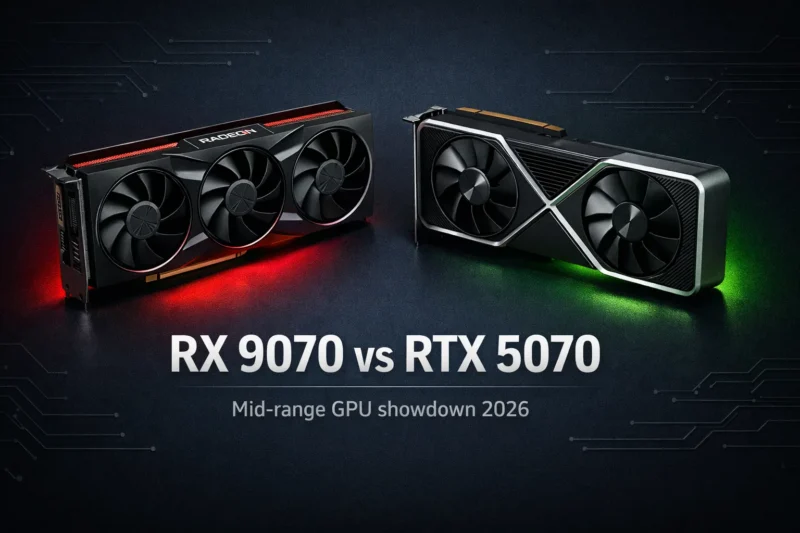
The card that makes the most sense if you are going to spend in this range is the RX 9070 at $449. If you want a full head-to-head between the RX 9070 and the RTX 5070 before committing at this tier, our dedicated comparison covers the performance gap and value case in detail. RDNA 4 architecture, 16GB of GDDR6 memory, and performance that sits comfortably above anything 1080p can demand from it. At 1080p it is genuinely overkill today. At 1440p eighteen months from now when you upgrade your monitor, it becomes a relevant card rather than a legacy one.
I’ve seen people regret skipping this tier when they upgraded their monitor a year later and realized their GPU could not keep up at 1440p. If there is any chance your display changes within two years, the RX 9070 at $449 is the smarter long-term buy than the RTX 4060 Ti at $319.
Pairing your GPU: what CPU you need to avoid bottlenecks
At 1080p, CPU bottlenecking is a real concern in a way it is not at higher resolutions. The reason is straightforward: lower resolution means the GPU finishes frames faster, which means the CPU has to keep up with a higher throughput demand. A weak CPU paired with a strong GPU at 1080p will produce worse real-world performance than the GPU benchmarks suggest. If you are unsure whether your current CPU is already bottlenecking your GPU, our guide to detecting and fixing CPU bottlenecks walks through exactly how to check.
For the under $250 GPU tier, a Ryzen 5 5600 or Intel Core i5-12400F is more than sufficient. Both are available used or on sale for under $150 and will not bottleneck either card at 1080p.
- Under $250 GPU: Ryzen 5 5600 or i5-12400F minimum
- $250 to $350 GPU: Ryzen 5 7600 or i5-13600K recommended
- $350 to $500 GPU: Ryzen 7 7700X or i5-14600K for full performance
- Avoid pairing a $300 GPU with a CPU older than 6th generation Intel or Ryzen 1000 series
For the $350 to $500 GPU tier, you actualy need a more capable CPU to avoid leaving performance on the table. A Ryzen 7 7700X or an i5-14600K gives the RX 9070 room to operate at 1080p high refresh rates without the CPU becoming the constraint in CPU-sensitive titles.
Future-proofing at 1080p: is it worth spending more now
The honest answer is: it depends on whether you think your monitor is permanent. If you are confident you will be on a 1080p display for the next three years, spending above $350 on a GPU is not a strong value case. The RTX 4060 Ti or RX 7700 XT will handle everything at this resolution for that window with room to spare.
If there is any realistic chance you move to 1440p within two years, the calculus changes completely. A $449 RX 9070 bought today as a 1080p card becomes a strong 1440p card the moment your display changes. A $319 RTX 4060 Ti bought today as a 1080p card becomes a mid-range 1440p card that struggles in demanding titles at that resolution.
Staying at 1080p for 3 or more years: buy the best GPU for 1080p at $250 to $350 and keep the rest of the budget. Upgrading your monitor within 2 years: spend to $449 and buy the RX 9070 now.
The best GPU for 1080p gaming is ultimately the one that matches your actual upgrade plan, not just your current display. Get that decision right and every tier in this guide represents genuine value for the money.






Join the Discussion